





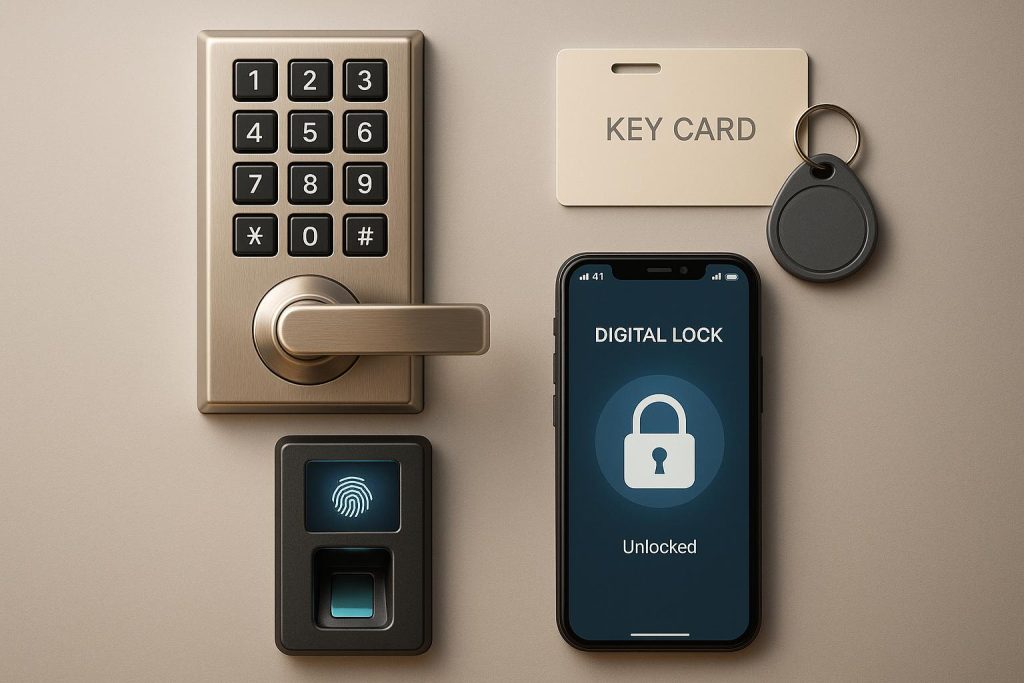
Keyless entry systems provide businesses with secure, electronic alternatives to traditional keys. These systems improve security, simplify access management, and reduce the need for rekeying locks. The four main types are:
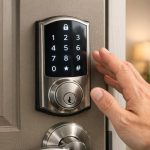
- Keypad Systems: Users enter a PIN to unlock doors. Affordable and ideal for small setups, but PINs must be updated regularly to maintain security.
- Card and Fob Systems: Use RFID-enabled cards or fobs for access. They balance cost and security, with easy credential management and scalability.
- Biometric Systems: Rely on fingerprints, facial recognition, or other physical traits. High-security option but more expensive and complex to deploy.
- Smartphone-Based Systems: Leverage mobile devices as credentials. Secure, flexible, and scalable, suitable for multi-location businesses.
Each system serves different needs, from small offices to high-security facilities. Businesses often combine systems for tailored security solutions. Below is a quick comparison:
| System Type | Security Level | Upfront Cost | Best For |
|---|---|---|---|
| Keypad Systems | Basic–Moderate | $150–$300 per door | Small offices, storage rooms |
| Card and Fob Systems | Moderate–High | Moderate hardware costs | Offices, schools, warehouses |
| Biometric Systems | High | Highest (specialized tech) | Data centers, labs, healthcare |
| Smartphone Systems | Moderate–High | Moderate (hardware + subs) | Tech firms, multi-site teams |
Select a system based on your security needs, budget, and scalability requirements.
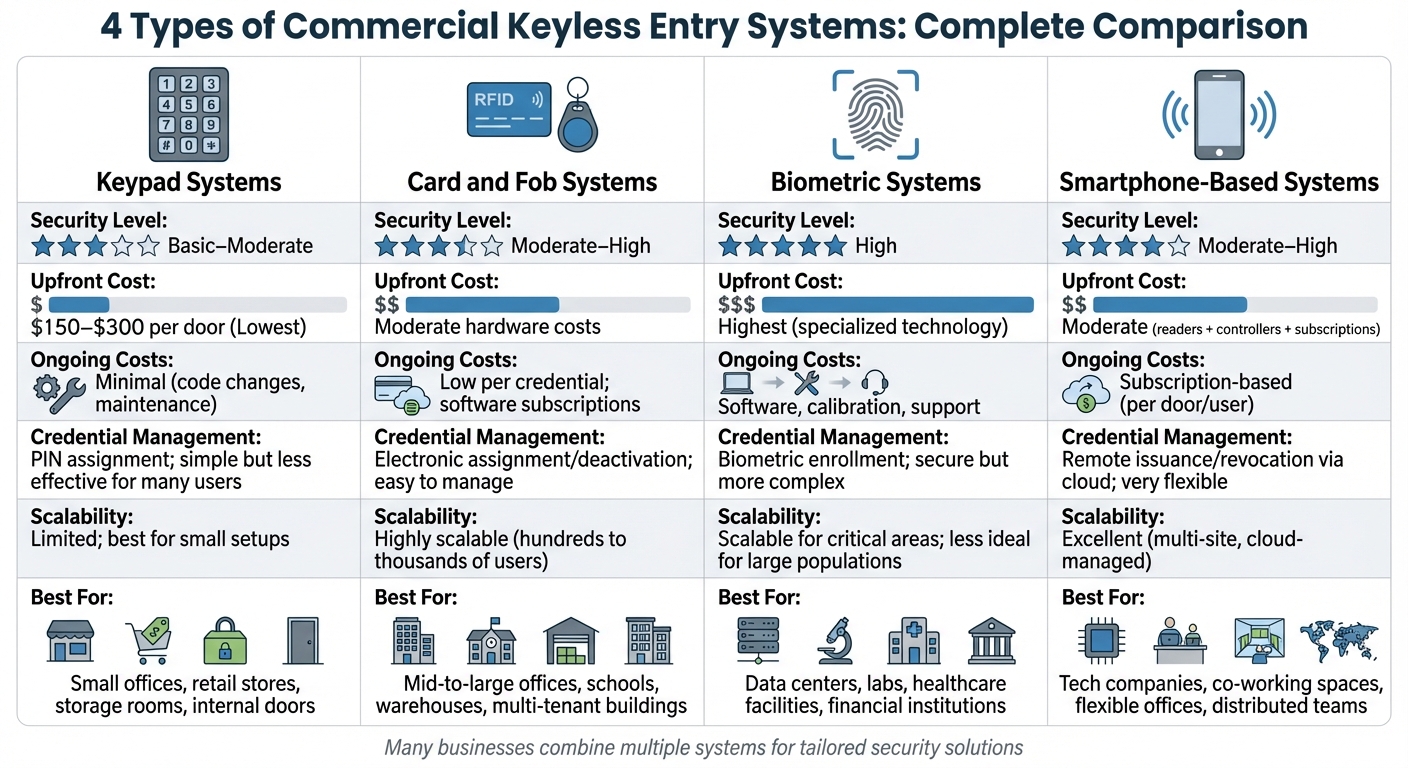
Commercial Keyless Entry Systems Comparison: Security, Cost & Best Use Cases
What Is The Best Keyless Entry System? – SecurityFirstCorp.com
1. Keypad Systems
Keypad systems provide access by requiring users to input a unique PIN on a touchpad. When the correct code is entered, the system communicates with a controller to unlock the door after verification. Some keypads are standalone units, managing codes locally and controlling a single door, while others connect to a centralized access control panel or cloud-based platform for broader management. Let’s break down the security features and maintenance practices that make these systems effective.
The security of keypad systems hinges on factors like PIN length and the uniqueness of each user’s code. Advanced commercial models often support longer PINs – typically six to eight digits or more – and assign individual codes to users, creating an audit trail with timestamps and user IDs for each entry. This feature is especially useful for monitoring access and ensuring compliance. However, these systems can be vulnerable if proper code policies aren’t enforced. To bolster security, organizations can implement measures like regular code updates, schedule-based access restrictions, and multi-factor authentication by pairing PINs with another credential, such as a card or mobile device, for high-security areas.
Cost-wise, keypad systems are typically more affordable than biometric solutions and are comparable to card readers since they eliminate the need for physical credentials. Standalone keypad locks usually cost a few hundred dollars per door, while networked systems integrated with access control platforms may have higher upfront expenses but offer scalability for larger setups. Maintenance involves periodic system checks and updates to the credential database. Managing credentials is straightforward: standalone systems require programming directly at the device, while cloud-based setups allow centralized control of user profiles, PIN assignments, and schedule-based access through an intuitive software dashboard. To maximize security, it’s best to issue unique PINs for each user, enforce minimum PIN length, and create temporary codes with expiration dates for contractors or visitors.
Keypad systems are versatile, scaling from single-door setups to multi-location networks. When connected to a central or cloud platform, they enable unified management of doors, users, and access schedules while ensuring consistent policy enforcement, bulk code updates, and centralized reporting.
For a seamless installation, professional locksmiths like Sherlock’s Locksmith in Pittsburgh, PA, can design keypad systems tailored to your existing security setup. They also offer 24/7 mobile support for configuration changes and emergency services.
2. Card and Fob Systems
Card and fob systems rely on electronic credentials – usually proximity cards or small key fobs – that use RFID technology to communicate with a door reader. When you present your card or fob to the reader, the system checks it against a database stored in the access control panel or a cloud platform. If your credential is authorized, the door unlocks. These systems are widely used in offices, warehouses, multi-tenant buildings, and healthcare facilities because they eliminate the need for physical keys. Instead, credentials can be easily added, modified, or deactivated through software, all without changing any lock hardware. But the type of credential technology you choose plays a big role in overall security.
Credential technology directly affects security levels. Standard 125 kHz proximity cards allow for tracking and can be deactivated instantly if lost. However, these basic cards are vulnerable to cloning if someone gains physical access to them. For stronger security, encrypted smart cards like MIFARE DESFire are much harder to copy, though they come with a higher price tag. To enhance security further, you can implement two-factor authentication – requiring both a card tap and a PIN – for sensitive areas like server rooms or pharmacies.
When it comes to costs and hardware, these systems strike a balance. Hardware expenses are moderate – more than basic keypad locks but less than biometric systems. Each door setup requires a reader, an electronic lock or strike, a controller, a power supply, and cabling. Individual cards and fobs are inexpensive, typically costing just a few dollars each, making replacements affordable. Ongoing costs include replacements for lost credentials, cloud subscription fees (usually charged monthly or annually per door or user), and occasional reader upgrades. Maintenance is minimal, mostly involving periodic inspections and firmware updates.
Credential management is streamlined through cloud-based dashboards. These platforms allow you to assign credentials to users, set door access permissions, and instantly deactivate lost or stolen cards. You can assign unique credentials, enforce role-based access, and regularly audit permissions to remove inactive profiles. Many systems integrate with HR software so that when an employee leaves, their access is automatically revoked, reducing the risk of oversight. Detailed audit logs provide a record of who accessed specific doors and when, which is invaluable for investigations and compliance.
Card and fob systems are highly scalable, making them ideal for businesses with multiple doors or locations. Centralized or cloud-based platforms let you manage access across all doors and sites from a single interface, using the same credential for multiple buildings. Adding new doors is straightforward – just install additional readers and controllers and connect them to your existing system without changing the credential format. Features like global user groups, door schedules, and centralized management ensure consistent security policies while allowing for location-specific rules. For tailored solutions, companies like Sherlock’s Locksmith in Pittsburgh, PA, can design and install these systems, program initial credentials, and even offer 24/7 support for emergencies like reader failures or urgent credential updates.
3. Biometric Systems
Biometric systems use unique physical characteristics – like fingerprints and facial recognition – to verify identity. In the U.S., these methods are commonly seen in offices and warehouses, while iris scanning and hand geometry are often reserved for high-security environments such as data centers and laboratories [5,8]. Because the credential is tied directly to the individual, there’s no risk of unauthorized sharing. This makes biometric systems particularly effective in places where identity verification is critical, such as healthcare facilities controlling access to medication rooms, financial institutions protecting sensitive records, or manufacturing sites securing high-value storage areas.
Biometric systems provide a stronger layer of security compared to traditional keypad or card-based systems. Biometric identifiers are inherently difficult to replicate, and modern devices take this a step further by encrypting stored templates. Many advanced systems also include anti-spoofing features, such as liveness detection, infrared imaging, and challenge-response protocols, to counter attempts involving fake fingerprints or high-quality photos. For areas requiring the highest level of security, biometric authentication can be paired with an additional factor, like a PIN.
However, the hardware for biometric systems tends to be the most expensive among keyless entry options. A basic fingerprint reader integrated with an access control panel costs a few hundred dollars per door, while more advanced facial or iris recognition terminals with built-in cameras and processors come with a significantly higher price tag. Over time, these systems can offset costs associated with lost access cards or rekeying locks. Ongoing expenses may include firmware updates, occasional hardware replacements as sensor technology improves, and potential licensing fees for biometric matching software, particularly when using server-based or cloud platforms.
Managing biometric data effectively is just as important as the hardware itself. Enrollment software captures multiple scans to create an accurate profile, and administrators can set access levels and schedules, much like card systems. Templates can be stored on a central server, in the cloud, or even on a smart card. To ensure compliance and reduce legal risks, it’s essential to follow best practices, such as verifying identity during enrollment, enforcing role-based access controls, establishing clear data retention and deletion policies, and adhering to state privacy laws like Illinois’ Biometric Information Privacy Act (BIPA).
Biometric systems also integrate seamlessly with centralized access control networks, making them scalable and efficient. A centralized or cloud-based setup allows organizations to manage access across multiple locations from a single dashboard, enabling near-instant updates to templates and permissions. For large-scale deployments, edge matching ensures readers can authenticate locally and sync logs with the central system, maintaining functionality even during network outages. For mid-sized businesses, expert installation and support can make a big difference. For instance, in Pittsburgh, PA, Sherlock’s Locksmith offers custom system designs, integration with broader security setups, and 24/7 support for troubleshooting or urgent updates.
sbb-itb-643e28e
4. Smartphone-Based Systems
Smartphone-based keyless entry systems transform an employee’s mobile device into a personal access credential. With these systems, users can unlock doors either through a mobile app or by holding their phone near a compatible reader. They rely on technologies like Bluetooth Low Energy (BLE), NFC, Wi‑Fi, or cloud connectivity to facilitate communication between the phone, the door reader, and the access control panel. Some systems even offer hands-free unlocking, providing a touchless experience. This integration with mobile devices also supports advanced encryption measures, ensuring secure access.
When executed properly, smartphone-based systems deliver security that matches – or even surpasses – traditional card-based setups. Mobile credentials benefit from strong encryption and the phone’s built-in security features, such as PIN codes, Face ID, or fingerprint authentication. Many enterprise-grade systems also support multi-factor authentication, requiring both the phone and an additional verification step for access. Detailed audit logs are automatically generated, leveraging the phone’s security features. If a phone is lost or stolen, administrators can swiftly revoke access via a cloud-based dashboard, eliminating the risks tied to misplaced or unreturned keys and cards.
The hardware costs for these systems depend on the deployment scale. A typical setup includes mobile-enabled door readers, compatible locking mechanisms, and either a cloud-based or on-premises access control platform. Many solutions today are hardware-agnostic, meaning they can integrate with existing card readers and door hardware, reducing the expense of retrofitting. While initial costs may vary based on the amount of equipment replaced, hybrid systems that utilize existing wiring can help cut expenses. Ongoing costs usually involve software or cloud subscriptions, often billed per door or per user. However, these can be offset by savings on physical card production, printer upkeep, and the frequent need for rekeying.
Credential management is another area where smartphone systems shine. Issuing, modifying, or revoking mobile credentials is much quicker and more flexible compared to handling physical cards. Administrators can use a centralized dashboard – either web-based or mobile – to instantly manage access for any user. This centralized control allows for fine-tuned management of who can access specific doors and when, while also offering real-time monitoring of door activity. Unlike traditional cards, mobile credentials can be distributed and revoked instantly, typically via email or SMS, eliminating the need for physical card printing or in-person exchanges. Maintenance primarily involves software updates, monitoring battery levels on wireless locks or readers, and ensuring consistent network or cloud connectivity.
These smartphone-based systems are highly scalable, making them suitable for anything from a single door to multiple buildings across different cities, all managed within the same cloud environment. Administrators can implement global access policies, schedules, and user groups, streamlining operations as organizations grow. For businesses using hardware-agnostic or hybrid systems, additional doors can be onboarded gradually by reusing existing infrastructure, minimizing both disruption and costs. For companies in the Pittsburgh area seeking to install or upgrade to smartphone-based access control systems, Sherlock’s Locksmith provides expert assistance with hardware selection, code compliance, and phased implementation strategies tailored to your specific needs and budget.
Comparison Table
The table below breaks down key aspects of different access control systems, helping you determine which one aligns best with your business needs.
Keypad systems offer basic to moderate security but can be vulnerable to shared or easily guessed codes. They are the most budget-friendly option, with standalone commercial keypad locks typically priced between $150 and $300 per door (excluding installation). Managing access is straightforward with individual PINs, but scalability is limited. Keypads are best suited for smaller setups, such as small offices, retail stores, storage spaces, or internal doors, where budgets and user numbers are modest.
Card and fob systems provide moderate to high security, especially when using modern encrypted RFID or proximity technology. However, older systems may be more prone to cloning or loss. These systems are widely used in the U.S. due to their balance of cost and capability. While initial equipment costs are moderate, individual credential costs are low, making them economical for larger user bases. With electronic access control software, administrators can easily assign, deactivate, and track credentials, making these systems highly scalable for businesses with hundreds or even thousands of users.
Biometric systems deliver high security by relying on unique physical traits, like fingerprints, facial features, or iris patterns. These credentials can’t be shared or easily lost, but the systems come with the highest costs due to specialized hardware, complex installation, and advanced software. Managing credentials involves enrolling each user’s biometric data, which is more time-intensive than issuing a card or PIN. While biometric systems work well for high-security areas, they can become costly and complex for larger user bases, making them ideal for selective deployment in critical zones such as data centers, labs, or healthcare facilities.
Smartphone-based systems offer moderate to high security when they use encrypted mobile credentials, device-level security (like PINs or biometrics), and cloud-based management. Hardware costs are similar to card systems, but ongoing subscription costs (per door or per user) are offset by savings on physical credentials over time. These systems allow administrators to issue, modify, or revoke access remotely via a cloud dashboard or app. Their scalability is excellent, making them a great choice for managing multiple locations, user roles, and door groups, especially for tech companies or distributed teams.
Here’s a quick comparison of the four systems:
| System Type | Security Level | Upfront Cost | Ongoing Costs | Credential Management | Scalability | Best For |
|---|---|---|---|---|---|---|
| Keypad | Basic–Moderate | Lowest ($150–$300+ per door) | Minimal (code changes, maintenance) | PIN assignment; simple but less effective for many users | Limited; best for small setups | Small offices, retail, storage rooms, internal doors |
| Card/Fob | Moderate–High | Moderate | Low per credential; software subscriptions | Electronic assignment/deactivation; easy to manage | Highly scalable (hundreds to thousands of users) | Mid-to-large offices, schools, warehouses, multi-tenant buildings |
| Biometric | High | Highest | Software, calibration, support | Biometric enrollment; secure but more complex | Scalable for critical areas; less ideal for large populations | Data centers, labs, healthcare, financial facilities |
| Smartphone | Moderate–High | Moderate (readers + controllers) | Subscription-based (per door/user) | Remote issuance/revocation via cloud; very flexible | Excellent (multi-site, cloud-managed) | Tech companies, co-working spaces, flexible offices, distributed teams |
Many businesses opt for a combination of these systems to address varying security needs across different areas. If you’re in the Pittsburgh area and considering a tailored solution, Sherlock’s Locksmith offers expert guidance, installation, and support for commercial keyless entry systems designed to meet your specific requirements and future growth.
Conclusion
Selecting the right commercial keyless entry system isn’t about picking a one-size-fits-all solution – it’s about matching the technology to your specific needs. Different systems serve different purposes: keypads work well for simpler setups, card or fob systems provide moderate access control, biometrics are ideal for high-security areas, and smartphone-based systems excel in distributed operations. Combining these options can create a tailored solution that meets your facility’s unique security demands.
Many businesses in the U.S. adopt a layered approach, blending two or more systems to strike the right balance between security, convenience, and cost. For example, you might use card access for main entrances, keypads for internal office doors, and biometric locks for server rooms, all managed through a unified platform. This method allows you to match protection levels to actual risks while keeping installation costs under control. Reliable installation and support are key to making this approach work effectively.
Beyond system design, expert installation and ongoing support are critical for ensuring smooth operation and compliance with safety codes. Professional locksmiths bring valuable knowledge of building codes, fire safety regulations, and hardware compatibility. They can configure features like fail-safe operation, emergency egress, and door schedules while seamlessly integrating new keyless systems with your existing infrastructure – minimizing disruptions and avoiding costly mistakes.
When it comes to installation and support, local expertise can make all the difference. In Pittsburgh, Sherlock’s Locksmith offers comprehensive design, installation, and maintenance services for keyless entry systems. Their certified technicians can evaluate your facility, recommend the optimal mix of technologies, and configure systems to align with your security policies and future growth. With 24/7 mobile service, they’re ready to address urgent issues like malfunctioning readers, failed strikes, or emergency access reconfigurations whenever they occur.
Keyless entry systems reduce the hassles of managing physical keys, simplify onboarding processes, and provide audit logs to support compliance. Partnering with a skilled locksmith ensures a secure, scalable solution that not only enhances security but also streamlines facility management.
FAQs
What factors should businesses consider when choosing a keyless entry system?
When choosing a keyless entry system, it’s important for businesses to weigh their security requirements, budget, and the degree of access control they need. Factors like the nature of the environment (e.g., whether it’s a high-traffic area), ease of user management, and compatibility with current security systems should all play a role in the decision-making process.
Seeking guidance from a professional locksmith can make this process much smoother. Their expertise allows them to evaluate your specific needs and suggest a system that works best for your business setup.
What are the security risks of different types of keyless entry systems?
Each type of keyless entry system comes with its own set of security concerns you should be aware of:
- Keypad locks: These might be at risk of code guessing, hacking, or relay attacks, especially if they aren’t properly secured.
- Card access systems: Issues can include card cloning, unauthorized duplication, or targeted hacking attempts.
- Biometric systems: Challenges here involve the potential theft of biometric data, spoofing, or even false acceptance of someone who shouldn’t have access.
- Smartphone-based systems: These can be vulnerable to hacking, malware, or misuse if the phone is lost or stolen, which could lead to unauthorized access.
To reduce these risks, it’s crucial to select a system that aligns with your specific security requirements and to keep it updated and well-maintained.
Is it possible to combine different keyless entry systems into one security solution?
Yes, you can combine multiple keyless entry systems into one unified security setup. This flexibility allows businesses to tailor access control to their specific needs. For instance, biometric systems can secure high-risk areas, while card-based or smartphone-enabled systems can handle general entry points.
Bringing these systems together improves security while streamlining management. With centralized control, monitoring access and updating permissions becomes much simpler and more efficient.