





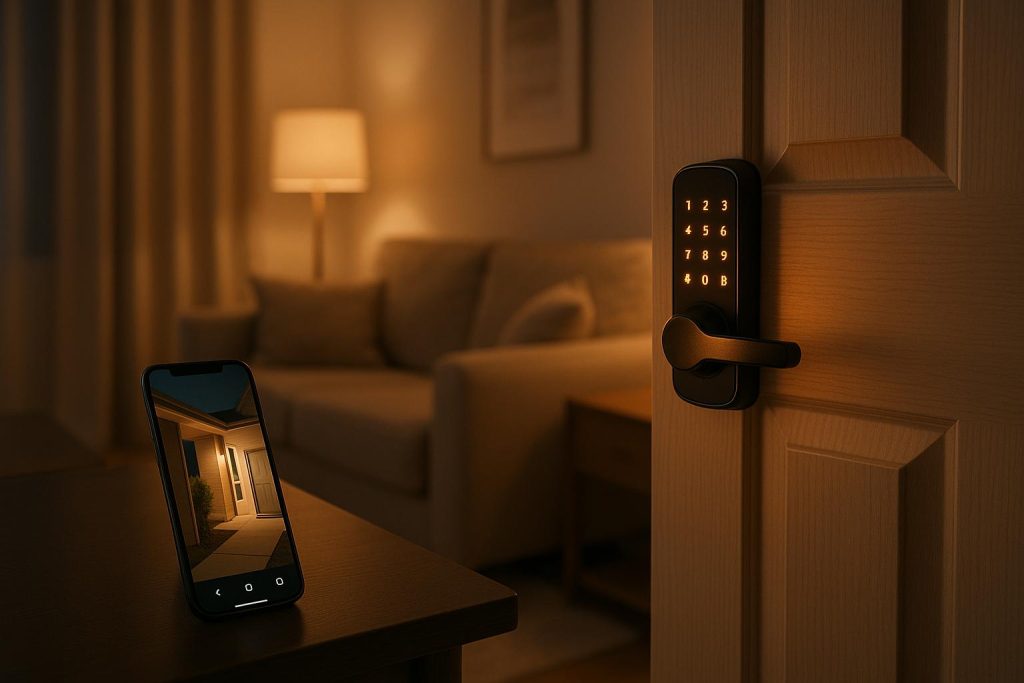
Remote access has changed how we think about home security. By using your smartphone, you can now lock doors, monitor cameras, adjust lighting, and receive instant alerts from anywhere. This gives you real-time control over your home’s safety, whether you’re at work or on vacation.
Key takeaways:
- Monitor and control remotely: Check live camera feeds, lock/unlock doors, and manage alarms from your phone.
- Instant alerts: Get notified immediately if motion is detected, a door opens, or a package is delivered.
- Simplify access: Create and manage digital access codes for family, guests, or service providers.
- Integration of devices: Combine smart locks, cameras, sensors, and alarms into one app for easier management.
- Professional installation matters: For reliable and secure setups, experts like Sherlock’s Locksmith in Pittsburgh ensure proper installation and configuration.
Remote access systems offer better control, faster responses, and increased convenience compared to older, locally controlled systems. They’re ideal for anyone looking to stay connected to their home’s security 24/7.
What Technology Allows You To Remotely Control Your Home Security? – SecurityFirstCorp.com
What is Remote Access in Home Security?
Remote access allows you to control your home security devices – like locks, cameras, and alarms – through a secure mobile app. Forget relying solely on physical keys or keypads. With remote access, you can arm or disarm your alarm system, lock or unlock doors, view live camera feeds, and get instant alerts when something happens at home.
This approach is a big step up from traditional systems, which only work when you’re physically present. Older systems might sound a local alarm or notify a monitoring center, but they don’t give you real-time control or visibility when you’re away. Remote access changes that by offering features like live monitoring, instant notifications, two-way audio, and the ability to manage access codes on the fly. It shifts home security from passive monitoring to active control, all from the convenience of your smartphone.
How Remote Access Technology Works
The technology behind remote access is straightforward but powerful. It relies on three main components: your home’s internet connection, secure cloud servers, and a mobile app. Security devices – like smart locks, cameras, motion sensors, and alarm panels – connect to your home’s Wi-Fi router (or sometimes through a wired connection). These devices communicate with cloud servers using encrypted data, while your mobile app connects to those same servers over Wi-Fi or cellular data to send commands and retrieve updates.
To keep systems running during power or internet outages, many setups include cellular and battery backups. This added layer of reliability is especially useful in areas prone to storms or service interruptions.
Cloud servers do more than just handle communication. They store video clips, images, and event logs securely, eliminating the need for local storage. For example, if a motion sensor triggers a camera or someone opens a door unexpectedly, the system can automatically upload a video clip or snapshot to the cloud and send you a push notification with a link to review the event. Many providers also deliver automatic firmware and security updates to connected devices, improving reliability and safeguarding against cyber threats.
Devices That Support Remote Access
A variety of devices come together to form a remote-access security system. Smart locks, for instance, let you lock or unlock doors from anywhere, create temporary or time-limited PIN codes for guests, and even track entry logs. Many smart locks also support keyless entry via smartphone apps or Bluetooth, and advanced models include biometric options like fingerprint or facial recognition for added security.
Security cameras and video doorbells offer live streaming, recorded clip playback, motion-triggered alerts, and two-way audio, allowing you to interact with visitors or deter intruders. Motion sensors and door/window contacts send instant alerts when unexpected activity occurs, like a door opening or movement in a restricted area. Alarm systems and control panels let you arm or disarm your system remotely, check its status, bypass specific zones, and receive alerts for issues like low battery levels.
Modern systems integrate these devices into a single platform, so you can manage everything from one app. For homeowners in Pittsburgh, PA, Sherlock’s Locksmith specializes in installing and configuring these systems, including smart locks, biometric locks, keyless entry systems, access control systems, and alarm systems. They ensure each device is securely connected and functioning properly, giving you peace of mind and seamless control over your home security.
Key Benefits of Remote Access for Home Security
Real-Time Monitoring and Alerts
With remote access, you get instant push notifications whenever unusual activity is detected. For example, if a door unexpectedly opens, motion is detected near an entrance, or a window sensor is triggered, your phone will alert you immediately – often with a short video clip. This instant feedback allows you to assess the situation quickly and decide whether to call the authorities, notify a neighbor, or dismiss it as a false alarm.
Say you’re expecting a package delivery. When your system detects door movement, you can confirm through live video that the courier has arrived and ensure everything looks normal. Similarly, if a door opens at an odd time, like during school hours when your kids should be away, you can check additional cameras and act fast if needed. This real-time insight not only minimizes false alarms but also ensures you respond appropriately to genuine threats.
But it’s not just about alerts – remote access lets you take control of your home security devices, no matter where you are.
Remote Control of Locks and Devices
Remote access gives you full control over your security system right from your smartphone. Whether it’s locking or unlocking doors, arming or disarming alarms, or checking the system’s status, you can do it all remotely. Forget to lock the front door? No problem – you can secure it with just a tap on your app. Parents often use this feature to disarm the alarm when their kids get home and rearm it once they’re safely inside. You can even issue temporary digital codes for visitors, offering secure and flexible access.
This control extends beyond locks and alarms. You can manage connected devices like lights, adjusting schedules or turning them on and off to make your home appear occupied while you’re away. This added flexibility not only enhances security but also gives you peace of mind.
Better Access Management
Managing who can enter your home becomes much simpler with remote access. Instead of relying on physical keys – which can be copied or lost – you can create temporary digital access codes. These codes can be customized to work only during specific times. For instance, you might set up a code for a cleaner that’s valid only on weekdays from 9:00 a.m. to 11:00 a.m., and it will automatically expire afterward. This eliminates the hassle of rekeying locks whenever access permissions change.
Modern systems also keep detailed entry logs, showing which code was used, which door was accessed, and when – all accessible through your mobile app. These logs can help you verify when family members arrive, confirm if a contractor has visited, or flag unexpected activity. Pairing these logs with video clips offers even more context, making it easier to monitor and manage your home’s security. The ability to track entries and adjust access remotely not only simplifies your life but also strengthens your home’s protection.
sbb-itb-643e28e
Setting Up Remote Access with Sherlock’s Locksmith
If you’re ready to enjoy the perks of remote access, here’s a step-by-step guide to getting started with Sherlock’s Locksmith.
Step 1: Evaluate Your Security Needs
Begin by taking a close look at your home to identify potential weak points – think doors, windows, garages, and any blind spots. For example, if you live in a single-family home on a busy street in Pittsburgh, you might want a video doorbell and driveway cameras. On the other hand, a townhouse might benefit more from smart locks and hallway sensors. Customize your security setup to fit your lifestyle, including tailoring access codes to your household’s daily routine.
Budgeting is key here. Many homeowners typically spend between $500 and $1,500 for a basic setup, including locks, cameras, and installation. Make a list of your current locks (like deadbolts, knob locks, or keypad locks) and jot down your family’s usual schedule. This information helps Sherlock’s Locksmith design a system that meets your specific needs.
Step 2: Professional Installation by Certified Technicians
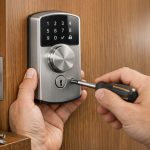
Once you’ve assessed your needs, Sherlock’s Locksmith’s certified technicians take over. They start by verifying door measurements and inspecting the condition of your existing hardware. Outdated locks are replaced with smart devices, ensuring everything is securely aligned. To enhance security, they anchor strikes and screws into studs, a step often overlooked in DIY installations.
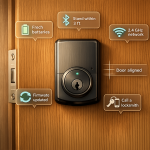
For more advanced setups – like access control readers, keypads, or electrified strikes – technicians manage low-voltage wiring, conceal cables, and connect power supplies, all while adhering to U.S. electrical and building safety codes. After installation, they pair your devices with a control hub or alarm panel, update firmware, and configure settings to minimize cyber risks.
Sherlock’s Locksmith also offers convenience features like unique PIN codes for family members, housekeepers, or dog walkers. You can even track entry logs through a smartphone app, giving you a clear view of who accessed your home and when. Plus, their installations come with workmanship guarantees and 24/7 mobile support for unexpected issues.
Step 3: Integration and Testing
After installation, the next step is integration – making sure all parts of your system work together seamlessly. This means connecting smart locks, cameras, sensors, and the alarm panel to a central hub or cloud platform. With this setup, you can control everything through a single smartphone app instead of juggling multiple ones. Sherlock’s Locksmith technicians organize devices by room or zone and ensure commands like locking doors, arming alarms, or viewing camera feeds work smoothly over your home’s Wi-Fi or cellular backup.
The team also creates custom scenes, such as an "Away" mode that locks all exterior doors, arms the alarm, turns on certain lights, and activates motion alerts – all with one tap. To ensure reliability, they test every component – smart locks, sensors, and cameras – both locally and via cellular data. Before wrapping up, they’ll walk you through basic troubleshooting tips, like checking lock batteries or Wi-Fi status, so you can handle minor issues without needing a service call.
Comparison: Standard vs. Remote Access Home Security
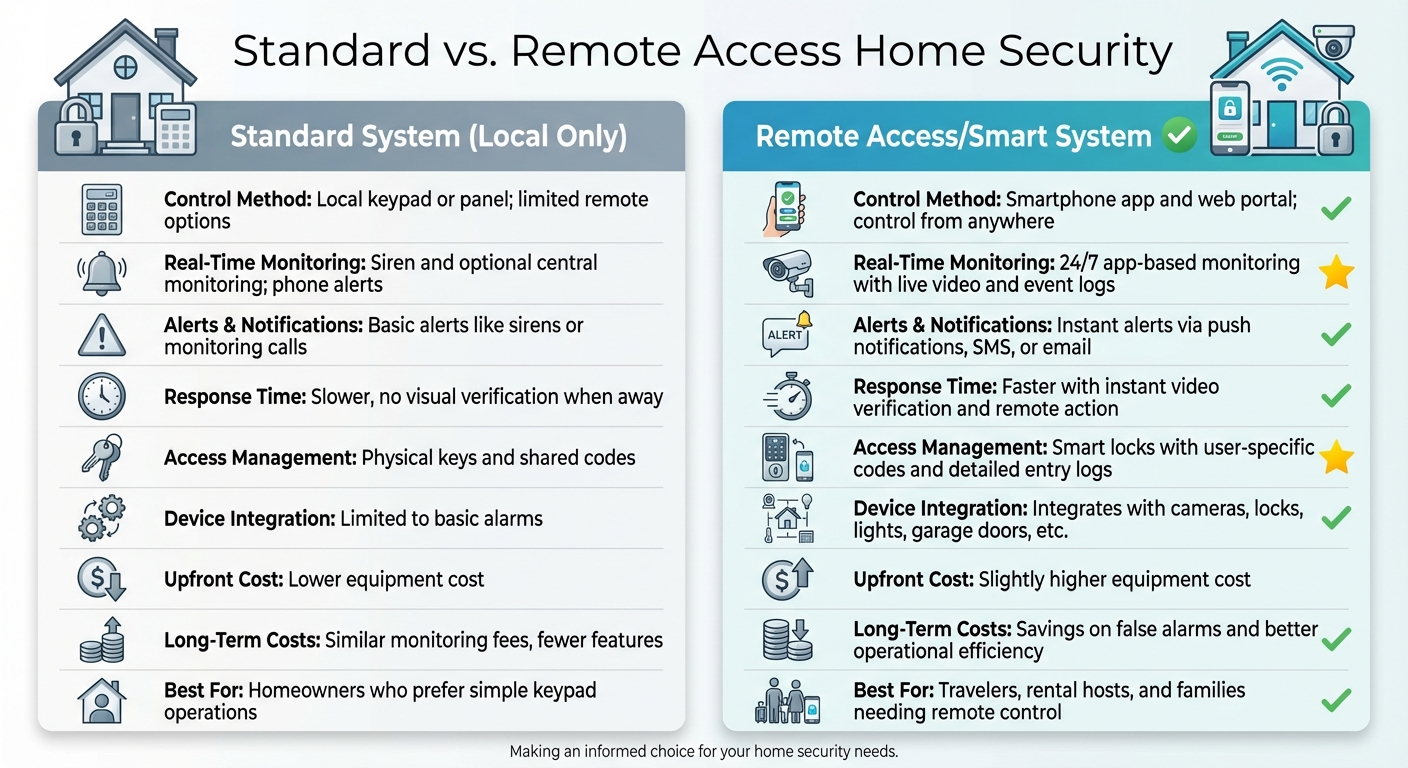
Standard vs Remote Access Home Security Systems Comparison
Let’s break down the differences between traditional home security systems and modern remote access setups, focusing on how they operate and what they offer.
Traditional systems rely on local keypads, basic sensors for doors and windows, and sirens. These systems only allow control when you’re physically at home. On the other hand, remote access systems connect to the internet, enabling you to manage alarms, locks, and cameras through a smartphone app, no matter where you are.
With a standard system, if a sensor is triggered, you might hear a siren or receive a call from a monitoring center. However, you won’t know the details until you return home or get a follow-up. Remote systems, by contrast, send instant notifications for every triggered sensor. You can immediately check live video to verify what’s happening and decide whether to call 911 or dismiss a false alarm. This real-time visual verification can speed up response times and help avoid unnecessary police visits.
Remote systems also simplify access management. Traditional setups use physical keys and shared alarm codes, which can be inconvenient when keys are lost or codes are overused. Remote systems with smart locks allow you to manage entry codes dynamically, track who enters and exits, and revoke access instantly – all without the need to rekey locks.
Pros and Cons of Each System
Here’s a side-by-side comparison to highlight the key differences for homeowners in the U.S.:
| Factor | Standard System (Local Only) | Remote Access / Smart System |
|---|---|---|
| Control Method | Local keypad or panel; limited remote options | Smartphone app and web portal; control from anywhere |
| Real-Time Monitoring | Siren and optional central monitoring; phone alerts | 24/7 app-based monitoring with live video and event logs |
| Alerts & Notifications | Basic alerts like sirens or monitoring calls | Instant alerts via push notifications, SMS, or email |
| Response Time | Slower, no visual verification when away | Faster with instant video verification and remote action |
| Access Management | Physical keys and shared codes | Smart locks with user-specific codes and detailed entry logs |
| Device Integration | Limited to basic alarms | Integrates with cameras, locks, lights, garage doors, etc. |
| Upfront Cost | Lower equipment cost | Slightly higher equipment cost |
| Long-Term Costs | Similar monitoring fees, fewer features | Savings on false alarms and better operational efficiency |
| Best For | Homeowners who prefer simple keypad operations | Travelers, rental hosts, and families needing remote control |
While standard systems are straightforward and often have lower upfront costs, remote access systems offer long-term advantages. They reduce false alarm fees, improve response times, and may even lower your insurance premiums. If you frequently travel, manage rental properties, or simply want the flexibility to control your home’s security from anywhere, remote systems are a great option. For homeowners in Pittsburgh, Sherlock’s Locksmith provides expert integration and 24/7 support to help you make the most of your security system.
Conclusion
Remote access transforms home security into a proactive system, giving you constant connection to your property, no matter where you are. Features like real-time alerts, remote lock control, and detailed access logs provide immediate insight into activity at home, offering peace of mind and control at your fingertips.
That said, the success of remote access hinges on proper installation and seamless integration. This is where Sherlock’s Locksmith in Pittsburgh, PA steps in. Their team brings the expertise to evaluate your security needs, install the right devices with precision tools, and deliver round-the-clock support – ensuring advanced technology becomes a reliable part of your home security system.
"Our team of experts is highly skilled, certified, and continually trained in the most advanced technologies, ensuring top-notch locksmith solutions." – Sherlock’s Locksmith
FAQs
How does remote access make my home more secure than traditional systems?
Remote access takes home security to the next level by letting you manage and monitor your locks, cameras, and alarms from virtually anywhere using your smartphone or computer. You can receive instant alerts about suspicious activity and take action immediately, no matter where you are.
With remote access, you’re not tied to being physically present like with older systems. Whether it’s locking a forgotten door, checking live security footage, or activating an alarm, everything can be done with just a few taps. It’s a simple way to stay connected and keep your home safe, even when you’re miles away.
What devices can you connect to a remote access home security system?
A remote access home security system links up with various devices, allowing you to monitor and manage your home no matter where you are. Devices often connected to these systems include smart locks, security cameras, video doorbells, motion detectors, window sensors, alarm panels, and electronic locks.
Together, these devices create a seamless security network, offering real-time alerts and remote control. Whether you’re relaxing at home or miles away, they help keep your home safe and give you added peace of mind.
Why should I choose professional installation for a remote access system?
Choosing professional installation for your remote access system guarantees it’s set up properly and operates efficiently. Specialists have the expertise to optimize security features, reduce the chances of technical issues, and address any challenges that may arise during the setup process.
What’s more, professional installation often comes with added perks like support services and warranty coverage. This means you can enjoy greater peace of mind and dependable performance from your home security system over the long haul.