


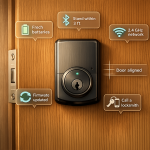

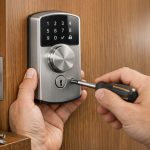
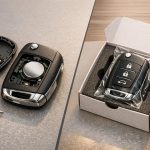
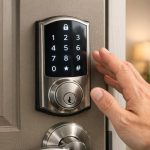

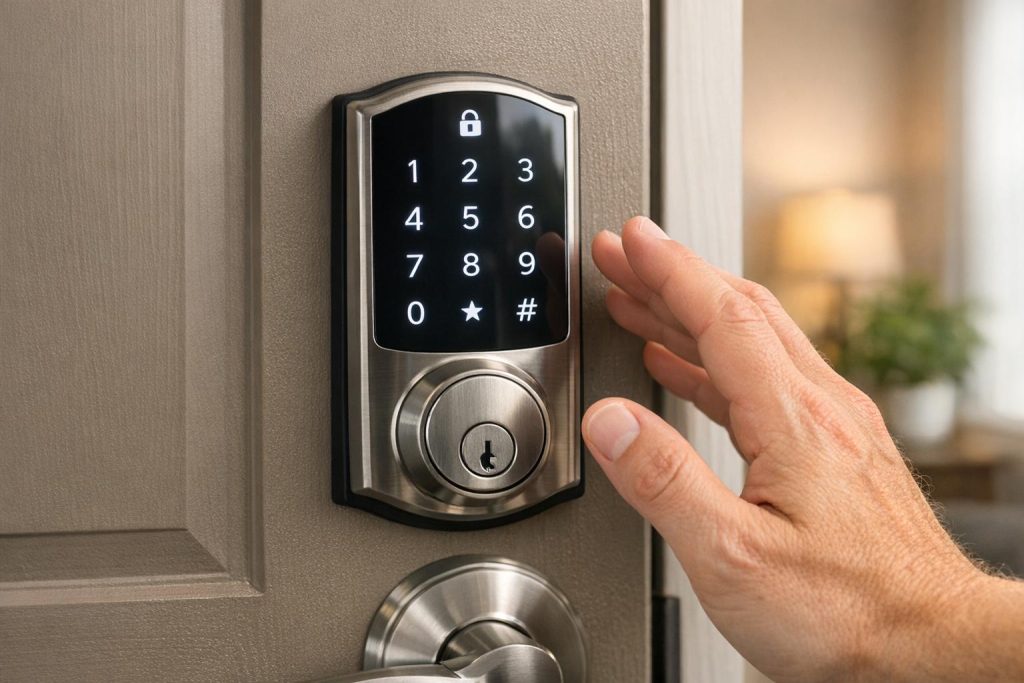
Keyless entry systems are convenient until they stop working. Here’s how to fix common problems quickly:
- Power Issues: Dead batteries are the most common cause. Replace your key fob battery (usually CR2032 or CR2025) and check for corrosion on contacts.
- Signal Problems: Interference from Wi-Fi routers or other devices can disrupt signals. Test in an open area or update firmware for smart locks.
- Mechanical Issues: Misaligned doors or jammed locks may need adjustment or lubrication (use silicon-based products, not oil-based).
- Keypad Glitches: Clean keypads with a microfiber cloth and electronic-safe cleaner. Reset codes if needed.
For severe issues like complete unresponsiveness, damaged fobs, or programming failures, professional help may be required. If you’re in Pittsburgh, Sherlock’s Locksmith offers 24/7 assistance.
Pro Tip: Replace batteries every 1–2 years and clean keypads regularly to avoid future problems.
5 Reasons Why a Keyless Remote Does Not Work
How Keyless Entry Systems Work
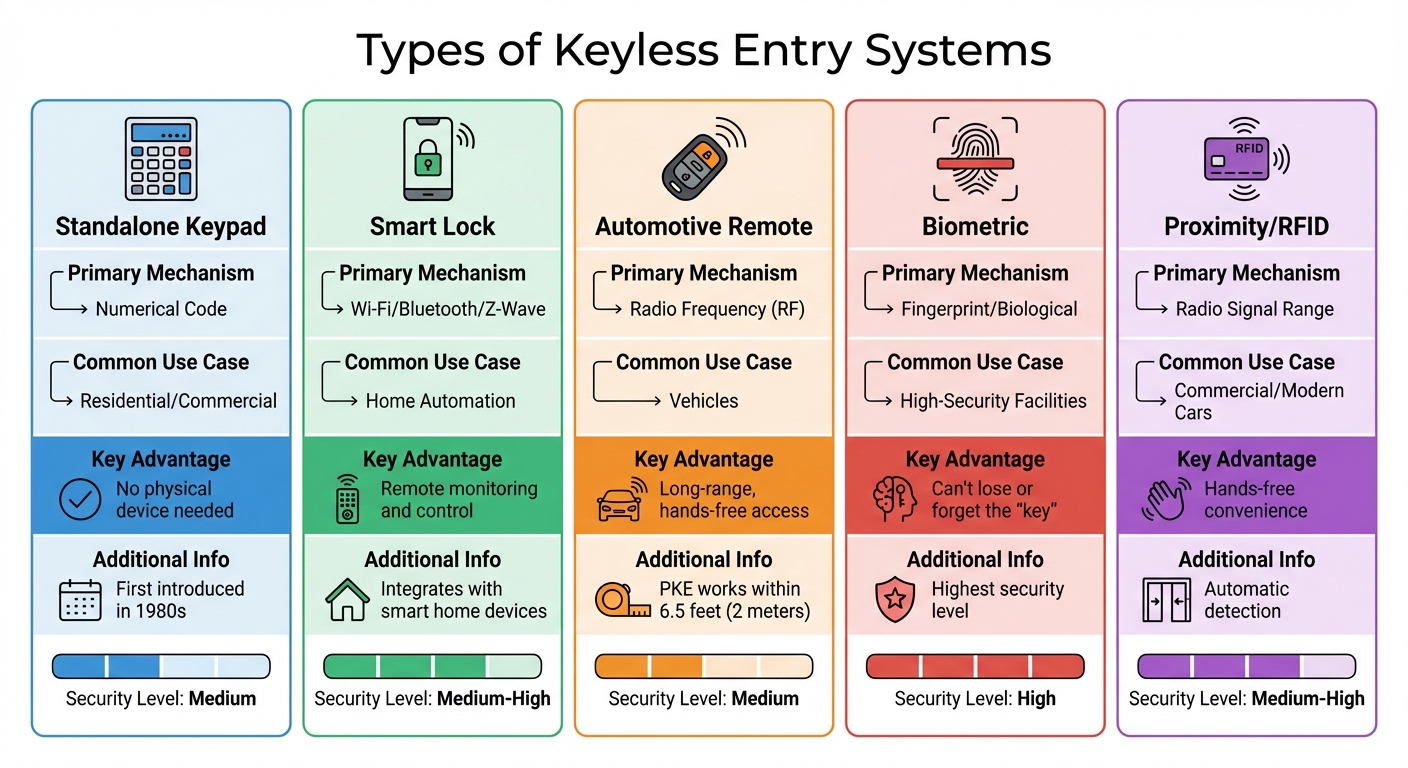
Types of Keyless Entry Systems Comparison Chart
Keyless entry systems use coded signals transmitted from a device – like a key fob, smartphone, or similar tool – to communicate with a receiver at the entry point. When activated, the transmitter sends an encrypted RF signal to the receiver. This signal is then passed to a controller, often called a Body Control Module (BCM) in vehicles, which acts as the system’s central processor.
"The BCM or ECU acts as the brain of the remote keyless entry system. The BCM or ECU authenticates the signal, decodes the requested action, and sends commands to the appropriate vehicle systems." – Embien Automotive Insights
Once the signal is authenticated, the controller directs an actuator to unlock or lock the system. From the moment the system detects a hand on the door handle to the lock’s activation, the entire process typically takes just 50–60 milliseconds. In North America, automotive systems generally operate at 315 MHz, while systems in Europe and Asia use 433.92 MHz. To enhance security and prevent signal theft, modern systems employ rolling codes that change with each use. These systems rely on several key components, discussed below.
Main Components of Keyless Entry Systems
Keyless entry systems are built around a few essential parts. The transmitter – whether it’s a key fob, smart card, or smartphone – sends a coded signal using technologies like RF, Bluetooth, or NFC. The receiver, installed at the door or vehicle, captures this signal and forwards it to the controller. Meanwhile, actuators handle the physical locking or unlocking of the mechanism.
The power source depends on the device. Key fobs commonly use coin cell batteries like CR2032 or CR2025. The primary system itself relies on the vehicle’s battery or building power. To ensure consistent performance, it’s recommended to replace key fob batteries every 1–2 years.
Types of Keyless Entry Systems
Different types of keyless entry systems serve various needs:
- Standalone keypad locks: These use numerical codes and operate independently, without requiring a key fob or smartphone. First introduced in the 1980s, these systems have evolved into modern capacitive touch models. They’re widely used in residential and commercial settings.
- Smart locks: These connect to smartphone apps or home automation systems using Wi-Fi, Bluetooth, or Z-Wave protocols. They allow remote monitoring, provide temporary access codes, and integrate seamlessly with other smart devices.
- Automotive remote systems: Using RF signals, these systems enable locking, unlocking, and additional features like remote engine start. Passive Keyless Entry (PKE) systems take this a step further, offering hands-free operation when the fob is within about 6.5 feet (2 meters) of the vehicle.
- Biometric systems: Found in high-security environments, these systems scan fingerprints or facial features. They provide an added layer of security since you can’t lose or forget your "key."
| System Type | Primary Mechanism | Common Use Case | Key Advantage |
|---|---|---|---|
| Standalone Keypad | Numerical Code | Residential/Commercial | No physical device needed |
| Smart Lock | Wi-Fi/Bluetooth/Z-Wave | Home Automation | Remote monitoring and control |
| Automotive Remote | Radio Frequency (RF) | Vehicles | Long-range, hands-free access |
| Biometric | Fingerprint/Biological | High-Security Facilities | Can’t lose or forget the "key" |
| Proximity/RFID | Radio Signal Range | Commercial/Modern Cars | Hands-free convenience |
Each system type offers unique advantages, making them suitable for specific applications. Knowing how these systems function can simplify troubleshooting and repairs.
Safety and Preparation Before Troubleshooting
Before diving into troubleshooting your keyless entry system, it’s essential to take a few safety precautions. Skipping these steps can lead to lockouts or even damage to your device. One of the most common culprits behind keyless entry failures is a dead or low battery, so it’s worth checking that first before attempting any repairs.
Safety Checks Before Starting
Start by making sure your manual backup method works. Most smart key fobs come with a hidden mechanical key that can be accessed by releasing a small catch. If your car door handle doesn’t have a visible keyhole, check for a small slot underneath the handle trim. Removing this cover will often reveal an emergency lock cylinder. Test the backup key to ensure it works, as this can save you from being locked out while troubleshooting.
When working on the system, it’s important to cut power or remove the batteries before opening any panels to prevent short circuits. Avoid forcing buttons or locks that aren’t responding, as this can cause irreversible mechanical damage or harm internal circuit boards. If you hear clicking or buzzing noises, this might point to a mechanical jam or a failed actuator. On the other hand, complete silence could indicate an electrical issue, such as a blown fuse or a faulty control module.
"Use a silicon-based lubricant to move the lock’s parts. Try to avoid using products that use oil, as they can attract dirt and mess up the machine." – Lowe’s Editorial Team
Inspect for signs of overheating or moisture before handling internal wiring, especially in systems sensitive to extreme temperatures. Never spray liquid cleaners directly onto the lock or keypad, as moisture can seep into the electronics and cause damage.
Once these safety checks are complete, you can gather your tools and get ready to troubleshoot.
Tools and Information You’ll Need
Having the right tools on hand will make troubleshooting safer and more efficient. A small screwdriver set is essential for opening key fobs and removing lock faceplates. Use a microfiber cloth to clean sensors and keypads gently, avoiding scratches. An electronic-safe cleaner is ideal for cleaning battery contacts and circuit boards, and be sure to have replacement batteries of the exact type specified by your manufacturer – CR2032 lithium coin cells are commonly used in key fobs.
| Tool/Item | Purpose |
|---|---|
| Small Screwdriver Set | For opening key fobs and removing lock faceplates |
| Microfiber Cloth | For cleaning sensors and keypads without scratching |
| Silicon-based Lubricant | To smooth mechanical parts without attracting debris |
| Electronic-safe Cleaner | For cleaning battery contacts and circuit boards |
| Replacement Batteries | To ensure a consistent power supply (check polarity) |
| Owner’s Manual | For programming sequences and fuse locations |
Before making any resets, document your current settings and consult the owner’s manual, as factory resets will erase all stored data. Keep in mind that electronic door lock batteries typically last around six to nine months. Marking the date of your last battery replacement can help you stay ahead of potential issues down the road.
Common Problems and How to Fix Them
After completing your safety and preparation checks, it’s time to tackle some of the most common issues with keyless entry systems. Problems like power failures, keypad glitches, signal disruptions, and mechanical misalignments can leave you frustrated, but understanding the root cause will help you resolve these issues effectively.
Power and Battery Problems
Dead or weak batteries are the most frequent culprits behind keyless entry failures. Symptoms include reduced signal range (needing to stand much closer to the vehicle than the typical 30–60 feet), delayed responses, or a "battery low" warning on your dashboard. On average, key fob batteries last 2 to 5 years.
To replace the battery, carefully separate the fob’s two halves using a small flathead screwdriver or a coin. Pay attention to the battery’s polarity before removing it, and replace it with a fresh CR2032 or CR2025 battery. Use a multimeter to confirm the battery’s health, and check for corrosion on the contacts. If you spot any green or white residue, clean it gently with a dry cloth or an electronic-safe cleaner.
If the car still won’t start after replacing the battery, try pressing the fob against the push-button start or inserting it into the backup slot, if available. Some vehicles may require you to reprogram the fob by cycling the ignition from "OFF" to "ON" multiple times in quick succession.
Once the power issue is resolved, you can move on to troubleshooting keypad responsiveness and code accuracy.
Keypad and Code Problems
If your keypad isn’t responding or valid codes are being rejected, dirt, moisture, or worn-out contacts could be to blame. Clean the keypad’s surface with a microfiber cloth and an electronic-safe cleaner, being careful not to use too much liquid. If specific buttons feel stuck or fail to register, open the device to inspect for damaged button membranes or cracks in the circuit board.
Code rejection often happens when digits are entered too quickly or when temporary access codes have expired. To avoid this, enter the code slowly, pausing briefly between each digit to ensure proper registration. If the system has reached its storage limit, delete old codes before adding new ones. Performing a full system reset and setting a new master code can also help resolve programming conflicts.
For automotive key fobs, test all functions like the "panic" or "trunk" buttons. If other buttons work but the "unlock" button does not, it might indicate a hardware issue or a loss of synchronization between the fob and the car. In such cases, follow the manufacturer’s instructions to re-pair the fob with your vehicle.
Next, let’s look at signal and connectivity challenges.
Signal and Connectivity Problems
Radio frequency interference from devices like power lines, Wi-Fi routers, or even other key fobs can disrupt the connection between your transmitter and receiver. Physical barriers and low battery levels can also reduce the signal’s range, sometimes limiting it to just a few inches.
"Wireless signals from power lines, security systems, and even other key fobs can disrupt your connection, especially in crowded places like parking garages or shopping malls."
– Sure Lock & Key
To troubleshoot, hold the fob or smart lock device close to the door handle to see if proximity improves the signal. Test with a spare fob to determine if the transmitter is faulty. Moving away from electronic devices or trying the fob in an open area can also help. For smart locks, disable nearby Bluetooth or Wi-Fi devices temporarily to rule out interference.
Smart locks may also benefit from firmware updates. Use the manufacturer’s app to check for updates and install them if needed. If the problem persists, try a hard reset: disconnect the car battery for a few minutes, or for smart locks, remove their batteries for 5–10 minutes. Keep in mind that extreme temperatures and high humidity can also impact signal reliability and battery performance.
Finally, consider any mechanical or alignment issues.
Mechanical and Alignment Problems
Sometimes the problem isn’t electronic but physical. Misalignments caused by door swelling, loose hinges, or a shifted strike plate can prevent locks from working, even if the electronics are fine. If you hear clicking or buzzing when pressing buttons, the actuator might be jammed or the lock cylinder misaligned. If there’s complete silence, it could point to an electrical issue like a blown fuse or a faulty control module.
Start by checking if the door closes flush against the frame. If there are gaps or resistance, the strike plate may need adjusting. Tighten any loose screws on hinges or strike plates. If the door has swollen due to humidity, you may need to plane the edge slightly or adjust the hinges. Apply a silicon-based lubricant to moving parts, but avoid oil-based products that attract dirt.
For more complex issues, such as a broken lock cylinder or internal actuator problems, it’s best to consult a professional locksmith. If DIY fixes don’t work, professional help is always an option.
| Problem | Likely Cause | Quick Fix |
|---|---|---|
| Reduced Range | Weak fob battery | Replace with a new CR2032/CR2025 battery |
| No Response (Fob) | Dead fob battery | Use the hidden mechanical key; try the inductive method |
| Code Rejected | Memory conflict or expired code | Reset user codes or delete old codes |
| Intermittent Signal | Radio frequency interference | Move away from electronics; test in an open area |
| Clicking Noise | Mechanical jam or misalignment | Apply silicon-based lubricant; adjust the strike plate |
| Complete Silence | Blown fuse or dead car battery | Check the fuse box; jump-start the vehicle |
sbb-itb-643e28e
When to Call a Professional Locksmith
Signs You Need Professional Help
If your keyless entry system becomes completely unresponsive, even after replacing the battery, it’s time to call in a professional. This often points to deeper issues with the vehicle’s receiver or internal hardware. Similarly, if multiple key fobs fail to work after a battery change, it could require a system-wide reset or re-syncing of the fobs to your car’s computer – tasks best left to an expert. At this point, further DIY fixes are unlikely to resolve the problem.
Physical damage to your key fob is another clear sign you need professional help. Issues like corrosion from moisture or broken solder points on the battery contacts often require repair or replacement by a skilled technician. Additionally, if your system enters security lockout mode after repeated failed attempts or software glitches, a professional reset is necessary to restore functionality.
For mechanical failures, such as misaligned parts or jammed locks, professional assistance is essential. If your car door won’t open manually with a physical key, the problem likely lies with the mechanical lock rather than the key fob, which also calls for expert repairs. Avoid forcing a stuck ignition key or attempting to pry open a door – this can cause expensive damage to the lock assembly or steering column.
When it comes to advanced programming needs, modern systems with proximity sensors or immobilizers often require specialized tools to program keys directly to the car’s onboard computer. Manual reprogramming can be tricky, involving precise, timed steps. Even a small error can force you to start over, making professional support crucial for these complex tasks.
Services Offered by Sherlock’s Locksmith
If troubleshooting doesn’t solve your problem, Sherlock’s Locksmith in Pittsburgh, PA, offers a range of professional automotive locksmith services to tackle advanced keyless entry issues. Their certified technicians use specialized diagnostic tools to identify whether the issue lies with the key fob or the vehicle’s internal systems.
Sherlock’s Locksmith provides 24/7 mobile locksmith services, bringing their expertise and tools directly to your location for emergency lockouts or on-site repairs. Their services include key fob programming and reprogramming, transponder key programming, lock cylinder replacement, and diagnosing electrical problems. They can also repair internal fob components, replace damaged door lock cylinders, and address wiring issues hidden behind vehicle panels.
Beyond repairs, Sherlock’s Locksmith offers installation and upgrades for keyless entry systems, including electronic security features like biometric locks and access control systems. Their team doesn’t just fix problems – they provide security consultations to help you select and maintain the best keyless entry system for your vehicle or property. Routine maintenance services are also available to prevent future issues and extend the lifespan of your components.
Preventive Maintenance for Keyless Entry Systems
Regular Maintenance Tasks
To keep your keyless entry systems running smoothly, it’s important to stay on top of basic upkeep. For instance, replace the batteries in home locks every six months and in vehicle fobs every one to two years. A dead battery can leave you locked out at the worst possible time. Always stick to the battery type recommended by the manufacturer – using cheaper, off-brand options can lead to leaks and damage the internal circuits.
For keypads and sensors, clean them every 2–3 months using a damp cloth and mild detergent. Avoid spraying cleaners directly onto the device, as excess moisture can harm the electronics. If you notice your key fob buttons sticking or the signal weakening, clean the internal contacts with rubbing alcohol and a cotton swab. Dirt and grime can interfere with button responsiveness and even biometric accuracy.
Don’t forget the mechanical parts! Lubricate the hardware annually with a silicon-based lubricant to keep everything moving smoothly. Steer clear of oil-based products like WD-40, which can attract dirt and clog the mechanism. Also, check the alignment of your door’s strike plate once a year. Misaligned doors can cause the latch to bind, putting extra stress on the electronic motor. For smart locks, make sure the firmware is up to date by checking the manufacturer’s app.
A little routine care goes a long way in preventing breakdowns and prolonging the life of your keyless entry system.
| Maintenance Task | Recommended Frequency | Purpose |
|---|---|---|
| Battery Replacement | Every 6 months (home locks); 1–2 years (vehicle fobs) | Prevents unexpected power loss and signal issues |
| Keypad/Sensor Cleaning | Every 2–3 months | Keeps buttons and sensors functioning properly |
| Hardware Lubrication | Annually or as needed | Ensures smooth operation and reduces motor strain |
| Code/User Review | Quarterly | Improves security by removing outdated or unused access codes |
| Strike Plate Alignment | Annually | Prevents latch binding and minimizes stress on the locking mechanism |
By sticking to these maintenance tasks, you can avoid many of the headaches caused by lockouts and system failures.
Professional Maintenance Services
While DIY maintenance covers most of the basics, professional inspections can uncover problems you might miss. Experts can spot hidden wear, loose electrical connections, or mounting issues that could lead to malfunctions down the road. Sherlock’s Locksmith, for example, offers routine maintenance services designed to catch these issues early.
Professional care is especially important if you live in areas with extreme weather. High heat, freezing temperatures, or humidity can speed up wear and tear and drain batteries faster. Regular check-ups from a professional can help you avoid weather-related failures and even extend the lifespan of your system. Plus, companies like Sherlock’s Locksmith can recommend weather-resistant upgrades or protective measures tailored to your local climate conditions.
Conclusion
When your keyless entry system stops working, the fix is often straightforward. Start by trying your spare key fob, replacing its battery (usually a CR2025 or CR2032 button cell), and checking for any nearby devices that might be causing signal interference.
"Most car owners have two fobs. The easiest solution is to find your second fob and see if it works." – Darren, Auto Locksmith
Testing the spare fob can help you figure out whether the problem is with the remote itself or the vehicle’s receiver system.
To avoid issues down the road, make it a habit to replace the batteries every one to two years and clean the keypads with a damp cloth. These small steps can prevent unexpected lockouts and keep your system running smoothly.
If neither the remote nor the door switches work – or if you’ve lost your only key fob – it’s time to call a professional. More complicated problems, like wiring issues or push-to-start system failures, require specialized tools and expertise.
FAQs
How can I figure out if my keyless entry problem is mechanical or electronic?
If your keyless entry system isn’t working, the first step is to figure out whether the issue is mechanical or electronic. Start by checking for obvious mechanical problems. Is the latch sticking? Does the deadbolt refuse to budge? Maybe the handle won’t turn, or the buttons on your key fob feel loose or broken. Any of these could point to a mechanical issue.
On the other hand, if the lock doesn’t respond at all, you’re likely dealing with an electronic problem. Common culprits include a dead or low battery in the key fob, a weak signal, the need to reprogram the remote, or issues with the receiver or antenna wiring. Tackling these problems often solves the issue fairly quickly.
Need help? Sherlock’s Locksmith specializes in both mechanical and electronic keyless entry systems, offering expert services to get your lock back in working order.
What can I do if my keyless entry still doesn’t work after replacing the battery?
If your keyless entry system isn’t working after replacing the key fob battery, there are a few things you can try. Start by checking the fob’s internal components for any signs of damage or corrosion. If you spot any, clean them carefully. If you have a spare key fob, test it to see if the problem is with the fob itself or your vehicle’s receiver. In some cases, you might need to reprogram the fob – this can happen with certain models after a battery change. Your vehicle’s manual should have instructions on how to do this.
If none of these steps work, the issue might be with your vehicle’s fuse or the keyless entry antenna. Look in the fuse box for any blown fuses related to the remote system or door locks. If the issue still isn’t resolved, it’s time to call in an expert. Sherlock’s Locksmith provides 24/7 mobile locksmith services in Pittsburgh, PA. Their certified technicians can quickly diagnose and fix problems with keyless entry systems, saving you time and hassle.
What regular maintenance can help prevent issues with my keyless entry system?
To ensure your keyless entry system stays in top shape, make it a habit to replace the battery regularly and clean the keypad contacts to avoid corrosion. Inspect the system for any signs of physical damage or exposure to harsh conditions, and keep the firmware or software updated to the latest version. Additionally, check that the connected wireless network is operating correctly. Don’t forget to test any backup keys or fobs occasionally to confirm they’re functioning properly. These simple steps can help you sidestep unexpected issues and keep your system running for the long haul.