


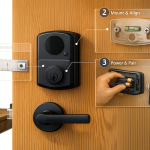
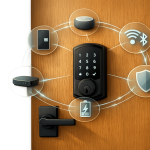
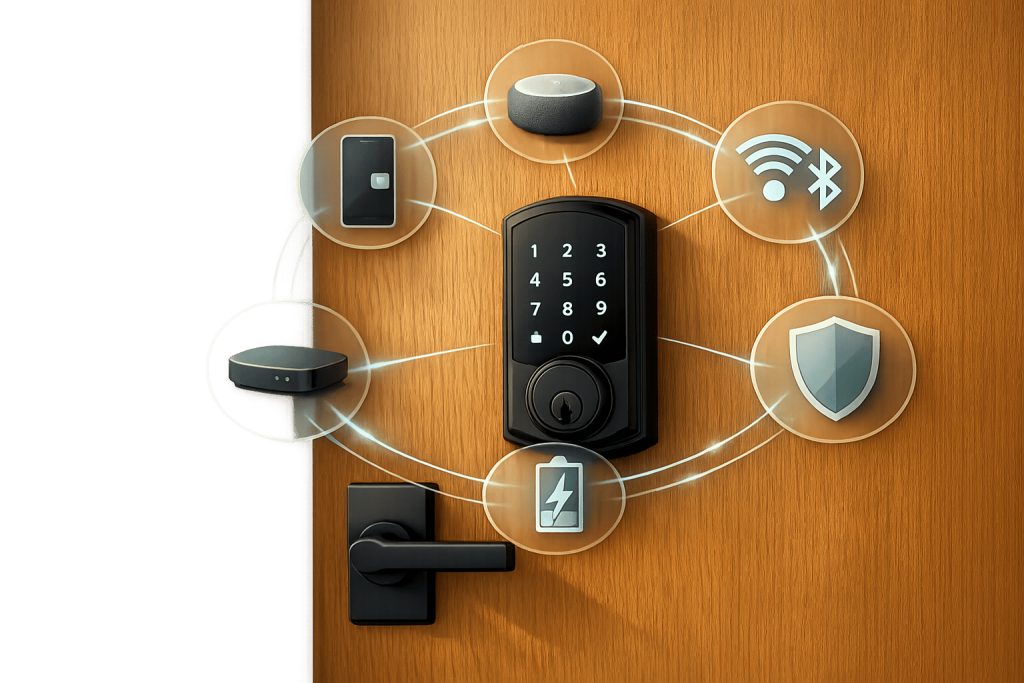
Keyless entry systems replace traditional keys with digital methods like PIN codes, mobile apps, or fingerprints. These locks integrate with smart home devices using wireless protocols (Wi-Fi, Bluetooth, Z-Wave, Zigbee, or Matter), allowing features like automatic lighting or thermostat adjustments when you enter. They prioritize security with encryption standards used by banks, real-time monitoring, and activity logs. Most models offer backup options like hidden keyholes or 9V battery terminals for emergencies.
Key features include:
- Access Methods: PIN codes, biometric scanners, or RFID/NFC.
- Power: Typically uses AA or lithium batteries with low-battery alerts.
- Wireless Protocols: Wi-Fi for remote access, Bluetooth for short-range, and Z-Wave/Zigbee for mesh networks.
- Voice Assistant Compatibility: Works with Alexa, Google Assistant, or Siri using secure PINs for unlocking.
Proper installation, regular maintenance, and secure practices (like strong PINs and two-factor authentication) ensure smooth operation and safety. For Pittsburgh residents, Sherlock’s Locksmith offers expert services for setup and troubleshooting.
Main Parts of Keyless Entry Systems
Hardware and Access Methods
A keyless entry system eliminates the traditional key cylinder by relying on three main components. First, there’s the motor assembly, often referred to as an actuator. This is a small DC motor or solenoid responsible for physically moving the deadbolt. Next is the control board, which acts as the system’s brain. This printed circuit board, equipped with a microcontroller, processes commands from your smartphone, PIN code, or fingerprint and tells the motor when to unlock. Finally, the wireless connectivity module enables communication between the lock and other devices. It includes radio chips for Bluetooth, Wi‑Fi, Z‑Wave, or Zigbee, connecting the lock to your phone or smart home hub.
To interact with the system, users can rely on various methods like numeric keypads (with either physical buttons or touchscreens), biometric scanners (such as fingerprint, palm-vein, or facial recognition), and RFID/NFC readers for key fobs or cards. High-quality fingerprint scanners, for instance, operate at a resolution of 508 dpi and boast an impressively low false acceptance rate of just 0.001%. Additionally, internal sensors like Hall sensors or accelerometers can detect whether the door is open or closed and provide alerts for tampering or forced entry attempts. Most smart locks are built to function in temperatures ranging from –20°F to 140°F, ensuring durability under various conditions.
While the hardware is critical, the system also relies heavily on a consistent power source to operate smoothly.
Power Supply and Backup Options
Most residential keyless locks are powered by four AA batteries, though some models use lithium or CR123A batteries instead. This battery-powered design ensures the lock remains functional even during power outages. On average, standard AA batteries last between 6 to 12 months, while lithium CR123 batteries can extend that lifespan to 12 to 24 months. However, Wi‑Fi-enabled locks consume about 30% more power than Bluetooth-only models due to their constant network activity. Choosing the appropriate battery type is crucial for maintaining consistent performance, especially when integrating with smart home systems.
The lock provides low-battery alerts through beeps, LED flashes, and smartphone notifications, typically 30 to 90 days before the batteries are depleted. If you live in colder climates, it’s worth noting that alkaline batteries can lose 20% to 40% of their efficiency in cold weather. Switching to lithium batteries can help mitigate this issue. For added security, approximately 95% of smart locks include a hidden keyhole for manual entry as a backup. Many models also feature external contact points, allowing you to temporarily power the lock with a 9V battery and enter your code if the batteries are dead.
Smartphone Apps and Remote Control
The software interface of a keyless entry system complements its hardware by providing seamless user control. Most locks come with companion apps that transform your smartphone into a secure digital key, using AES‑128 or AES‑256 encryption for protection. These apps allow you to lock or unlock your door remotely via Wi‑Fi, create temporary PIN codes for guests with time-limited access, and revoke access instantly without needing to replace physical locks. They also serve as activity logs, recording who entered and when.
Some locks offer an auto-unlock feature that uses your phone’s GPS and Bluetooth to detect your approach and unlock the door hands-free. However, Wi‑Fi-based remote unlocking can experience a slight delay of 1 to 3 seconds as commands pass through cloud servers. To ensure the auto-unlock function works reliably, it’s recommended to disable battery optimization for the lock’s app and set location services to "Always".
sbb-itb-643e28e
Integrating the Google Nest x Yale Smart Lock into Home Assistant
How Keyless Locks Connect to Smart Home Systems
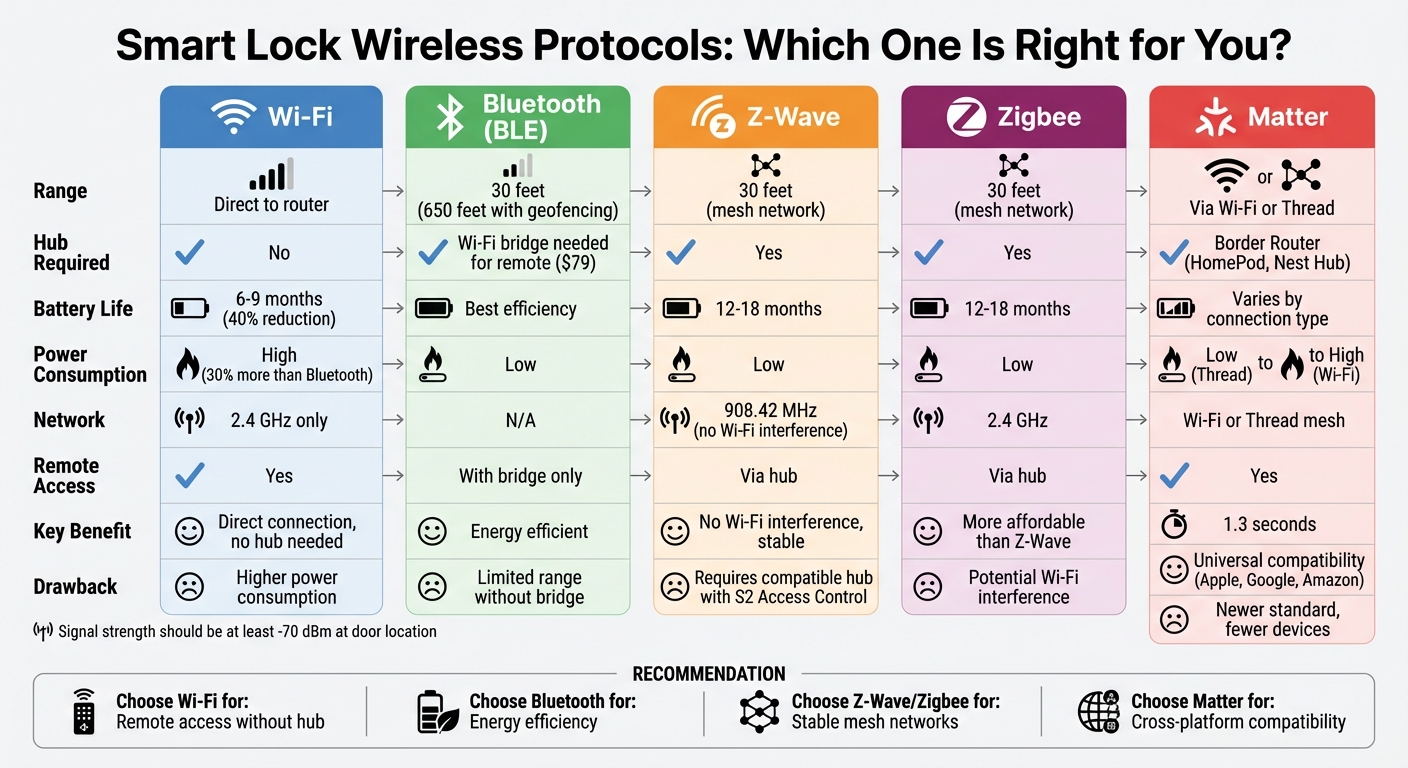
Smart Lock Wireless Protocols Comparison: Wi-Fi, Bluetooth, Z-Wave, Zigbee, and Matter
Wireless Protocols for Connection
Keyless locks connect to smart home systems using protocols like Wi‑Fi, Bluetooth, Z‑Wave, Zigbee, and Matter. Each has its strengths and limitations.
- Wi‑Fi locks link directly to your home router, giving you remote access without needing a hub. However, they consume more power, reducing battery life by about 40%. Expect Wi‑Fi locks to last 6–9 months compared to the 12–18 months typical for Z‑Wave models. Keep in mind, most Wi‑Fi locks are compatible only with 2.4 GHz networks, not 5 GHz.
- Bluetooth (BLE) is energy-efficient and works within 30 feet of your smartphone. For remote control, you’ll need to add a Wi‑Fi bridge, which usually costs around $79. With proper geofencing setup, Bluetooth can extend its range up to 650 feet.
- Z‑Wave and Zigbee operate via mesh networking. Z‑Wave uses the 908.42 MHz frequency, avoiding interference from Wi‑Fi, while Zigbee runs on 2.4 GHz and is generally more affordable. Both protocols rely on nearby devices to relay signals, maintaining stable connections within 30 feet of a hub or repeater.
- Matter simplifies connectivity by bridging devices from Apple, Google, and Amazon. It uses Wi‑Fi or Thread, a low-power mesh protocol that requires a "Border Router" (like a HomePod or Nest Hub) for internet access. Matter-enabled locks, such as Yale models, process encrypted credentials and activate in about 1.3 seconds when connected via Wi‑Fi.
These protocols ensure seamless communication between your lock and other smart devices in your home.
Smart Hubs and Cloud Services
Smart hubs and cloud services play a key role in managing connections and enabling remote control. Hubs facilitate local communication between devices, such as triggering your lock when a motion sensor detects movement. While Wi‑Fi locks bypass hubs and connect directly to your router, Z‑Wave, Zigbee, and Matter locks require a hub for operation. For Z‑Wave locks, ensure the hub supports "S2 Access Control" to avoid security vulnerabilities during pairing.
Cloud services manage user permissions and activity logs, keeping your lock accessible remotely. Some Wi‑Fi locks now use "heartbeat" intervals – checking for updates periodically instead of staying constantly connected – which helps conserve battery life.
To ensure reliable operation, verify that your lock’s location has a signal strength of at least -70 dBm. You can test this by checking Wi‑Fi strength at the door with your smartphone before installing the lock permanently.
Voice Assistant Compatibility
Voice assistants like Alexa, Google Assistant, and Siri add convenience by enabling hands-free lock control. Wi‑Fi locks connect directly to these platforms, while Z‑Wave or Zigbee models need a compatible smart hub to bridge the connection. You can ask, "Alexa, is the front door locked?" or include the lock in automated routines, such as a "Goodnight" command that locks doors, dims lights, and adjusts the thermostat.
Security is crucial when using voice commands. Most systems require a spoken PIN to confirm an "unlock" request, while locking typically doesn’t need extra verification. Always enable PIN protection to prevent someone from unlocking your door by shouting through a window or using a recording. Adding two-factor authentication (2FA) to your smart home app provides an extra layer of security.
"Disable voice assistant unlock commands unless protected by a PIN. This reduces unauthorized access risks." – Vivint Home Security & Automation
Compatibility depends on the lock and platform. For example, the August Wi‑Fi Smart Lock pairs directly with Alexa via the app, while the Yale Assure Lock SL integrates with Google Home by linking your Yale Access account. Apple HomeKit users can set geofencing routines, where Siri automatically locks the door when your iPhone leaves a designated area. As of 2024, more than 15 million U.S. households were using smart lock technology.
Installing and Connecting Keyless Locks to Smart Homes
Preparation and Tools
Before diving into installation, check that your door is compatible with the smart lock’s specifications. Most smart locks fit doors that are 1⅜″–2⅙″ thick with a backset of either 2⅜″ or 2¾″. Also, ensure your Wi-Fi signal is strong at the door. You can use your smartphone or a signal analyzer app to verify this.
Gather a few essential tools: Phillips and flathead screwdrivers, a measuring tape, a level, and possibly a drill for stubborn screws or adjustments. Your smart lock kit should include all the necessary components, such as the exterior keypad, interior housing, mounting plate, deadbolt mechanism, strike plate, and screws. Don’t forget to insert four fresh AA batteries before starting.
To enable connectivity, download the lock manufacturer’s app. If your lock is Bluetooth-only and you want remote access, you might need a Wi-Fi bridge. For locks using Z-Wave or Zigbee, a compatible smart hub (usually priced between $50 and $100) is required.
Once your tools and door are ready, you can move on to the physical installation.
Physical Installation Steps
Begin by removing your old deadbolt. Unscrew both the interior and exterior components and take out the latch. Insert the new deadlatch into the door, ensuring the "up" arrow points upward and the bolt is in the unlocked (horizontal) position. Position the exterior keypad on the door and thread the data cable through the deadlatch opening.
On the interior side, pass the cable through the mounting plate and secure it with the provided bolts. Connect the cable to the interior lock assembly, then tuck any excess cable into the designated hooks. Fasten the interior assembly securely, but avoid overtightening.
"If the bolt rubs or fails to seat, adjust the strike plate slightly until movement is smooth." – eufy team
Next, install the strike plate on the door jamb. Use 3-inch screws instead of the standard shorter ones – these reach the structural studs in the frame, offering better resistance against forced entry. Test the lock manually with the door open by turning the thumb turn to confirm the bolt extends and retracts smoothly. Once satisfied, insert the batteries and test the lock electronically.
Pairing With Apps and Platforms
With the hardware in place, it’s time to connect the lock to its app and your smart home system.
Start by registering in the manufacturer’s app. Activate pairing mode by pressing the interior button, which is typically marked with a Bluetooth or Wi-Fi symbol. Follow the app’s instructions to connect the lock via Bluetooth or Wi-Fi. Keep in mind that most smart locks only work with 2.4 GHz networks, so check your router settings. For best performance, ensure your router is within 15–20 feet of the lock, or use a Wi-Fi extender if necessary.
After pairing with the app, integrate the lock with your preferred smart home platform. For Amazon Alexa, open the Alexa app, select "Devices", tap "Add Device", and choose your lock brand. Google Home users can go to "Works with Google" in the app settings and log in to the lock’s account. Apple HomeKit users can scan the setup code found in the lock’s packaging to add it directly to the Home app.
On Android devices, disable battery optimization for the lock’s app to ensure it runs continuously in the background. Set up your master PIN code (usually 4–8 digits) on the keypad, then use the app to create additional user codes and access schedules. It’s wise to keep a physical key as a backup or confirm your lock has external emergency power terminals for a 9V battery, just in case of battery failure.
Using Keyless Entry Systems: Security Tips and Troubleshooting
After setting up a keyless entry system, keeping it secure and addressing issues promptly are essential for smooth operation.
Managing User Access and Permissions
Keyless systems generally come with a two-tier structure – a Master Code for administrative tasks and User Codes for everyday access. The first step? Change the default programming code immediately to block unauthorized access.
You can assign different access levels depending on the user’s role. For example:
- Owner codes allow full control through the app.
- User codes provide standard entry.
- Temporary codes work for a short period, ideal for house cleaners or contractors.
To simplify management, assign service providers to specific user slots (e.g., slots 20–25). This makes it easier to delete all their codes at once when their work is done. Basic keypad locks, like the Schlage BE365, can store up to 19 codes, while app-enabled smart locks often handle 30 or more.
Your lock’s activity log is another valuable tool. It records which code was used and when, helping you spot unusual access times, like late-night entries. Regularly reviewing these logs – ideally weekly – can help maintain security. Some systems also allow virtual keys, enabling guests to unlock the door through a smartphone app, while others rely on direct keypad entry. If you’re heading out of town, activate "Vacation Mode" to disable all user codes temporarily, requiring a physical key for entry.
"A tested password today prevents a locksmith call tomorrow." – Yale Smart Lock Advice
Be aware that 4-digit codes are vulnerable to being cracked in under 10 seconds. Opt for longer, unique codes to lower the risk of breaches. For added protection, many Yale smart locks lock their keypads for 60 seconds after five incorrect attempts.
Security Best Practices
Beyond managing user access, there are additional steps you can take to secure your keyless system. Weak or shared access codes account for about 70% of smart lock breaches. To minimize risks, create unique 6-8 digit PINs for each user. If your lock has a "scramble keypad" feature, enable it – this lets you enter random digits before or after your actual code, preventing others from guessing it based on smudges or patterns.
Enable two-factor authentication (2FA) for the lock’s mobile app, ideally using an app-based authenticator instead of SMS. For voice assistant integration, make sure unlocking commands are protected by an additional PIN. For even greater security, consider placing smart home devices on a separate VLAN to limit potential damage from network breaches.
Keep your system up to date. Outdated firmware is a common culprit in smart lock issues, responsible for 73% of password synchronization failures. Enable automatic updates for your lock, smart hub, and Wi-Fi router to stay protected against known vulnerabilities. Locks connected to smart hubs are 92% less likely to experience remote breaches compared to those connected directly to Wi-Fi.
Battery maintenance is another critical aspect. Replace batteries when their capacity drops below 30%. Most smart locks provide low-battery warnings 30–90 days in advance. Use high-quality alkaline batteries, as cold weather can reduce their efficiency by 20–40%. Also, clean the keypad regularly with electronic-safe cleaners to avoid wear patterns that could reveal commonly used numbers.
Fixing Common Problems
If a new code doesn’t work, it might just need time to sync. Wait 2–5 minutes, or press any keypad button to manually trigger an update.
Around 80% of code rejection issues stem from sync delays, expired codes, or user errors – not hardware problems. To avoid this, enter codes slowly, pausing for 1–2 seconds between digits. Some locks, like certain Yale models, require a "#" after the code, while Schlage locks may need the "Schlage" button pressed first.
If your lock shows "Offline" in the app, it won’t accept new codes or commands. Make sure your phone is connected to a 2.4 GHz Wi-Fi network, as most smart locks don’t support 5 GHz. If distance from the router is an issue, consider using signal boosters or a mesh network.
For emergency power when the batteries die, check your lock’s external terminal options. If you’re dealing with more complex issues – like lost Master Codes, hardware malfunctions, or failed smart home integrations – professional locksmiths can help. Sherlock’s Locksmith in Pittsburgh, PA, for instance, offers 24/7 services for emergency house lockouts and advanced installations.
"The majority of keyless entry issues we see are power-related. Proactive battery replacement is one of the simplest ways to prevent unexpected lockouts." – KeyMe Locksmiths
Conclusion
Keyless entry systems bring a blend of convenience, security, and smart automation to modern homes. By allowing access through methods like PIN codes, fingerprints, or smartphones, they eliminate the need for traditional keys while streamlining daily routines. These systems can even work hand-in-hand with smart home devices, creating automated actions like turning on entryway lights when you arrive or arming the security system as you leave.
Beyond convenience, these systems enhance security. Many modern smart locks feature encryption protocols similar to those used by financial institutions, ensuring robust protection. Some models go a step further by removing physical keyholes, making them resistant to traditional lock-picking techniques. Additionally, integration with hubs strengthens security measures, and digital audit logs provide a clear record of every access attempt, offering peace of mind and better control over your home’s activity.
However, the benefits of keyless systems hinge on proper installation. A precise setup is essential to avoid mechanical issues and ensure optimal performance. Professional locksmiths play a key role here, ensuring compliance with security standards. For instance, Sherlock’s Locksmith in Pittsburgh, PA, provides 24/7 mobile services, offering everything from routine installations to advanced smart home integrations and emergency lockouts. They also offer guidance on preventing home lockouts to ensure you’re never stranded.
"Smart locks provide the same level of security as traditional locks, while offering the added convenience of not having to search for a key once the smart lock is installed." – David Bell
When paired with smart home platforms, keyless entry systems redefine how we think about home security and convenience. With careful installation, regular maintenance, and expert support, these systems can truly elevate your home security experience.
FAQs
Which smart lock connection type is best for my home?
The best smart lock connection depends on what you prioritize – whether it’s security, convenience, or remote access. Bluetooth locks are perfect for nearby control. They use less power and work well when you’re close to the lock. If you want to monitor and control your lock from anywhere, Wi-Fi locks are the way to go, offering remote access no matter where you are. For those integrating with smart home systems, Z-Wave or Zigbee locks are excellent options. They provide reliable performance and low power consumption when connected to compatible hubs.
Will my smart lock still work if the power or Wi-Fi goes out?
Most smart locks keep working even during power or Wi-Fi outages because they run on batteries. As long as the batteries have power, you can rely on local options like a keypad, Bluetooth, or even a physical key to operate the lock. Many smart locks are also designed with backup batteries or manual key overrides, so you won’t be locked out when the power or internet goes down.
How can I prevent someone from guessing or stealing my unlock code?
To keep your security tight, use complex and hard-to-guess codes, and make it a habit to update them frequently. Take it a step further by enabling multi-factor authentication – this could mean using biometrics like fingerprints or pairing a PIN with another method. Always keep your codes private and stay aware of your surroundings when entering them to avoid anyone watching over your shoulder. Lastly, don’t overlook the importance of keeping your lock’s firmware and security settings up to date. This helps protect you from potential cyber attacks or hacking attempts.