





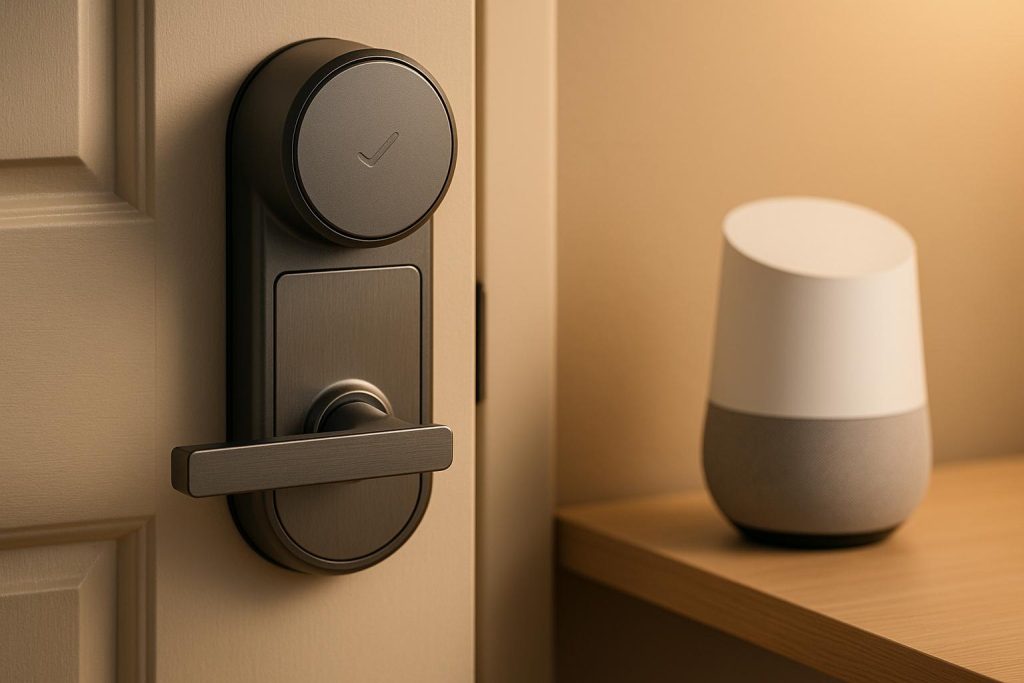
Pairing a smart lock with Google Home simplifies home security, offering voice control, remote access, and integration into daily routines. To get started:
- Essentials: Google Account, Google Home app, compatible smart lock, reliable Wi-Fi, and the lock’s app.
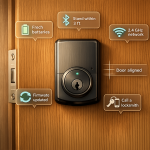
- Setup: Ensure compatibility with Google Assistant or Matter, secure Wi-Fi, and complete initial setup via the lock’s app.
- Security: Use strong passwords, enable two-factor authentication, and set a PIN for voice unlocking. Regularly update firmware and monitor activity logs.
- Maintenance: Check door alignment, replace batteries every 3-6 months, and schedule professional inspections for optimal performance.
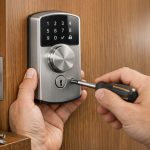
For installation or troubleshooting, consult experts like Sherlock’s Locksmith in Pittsburgh, PA, who specialize in smart lock setups and security systems. By following these steps, you’ll achieve a secure, reliable, and convenient smart lock integration with Google Home.
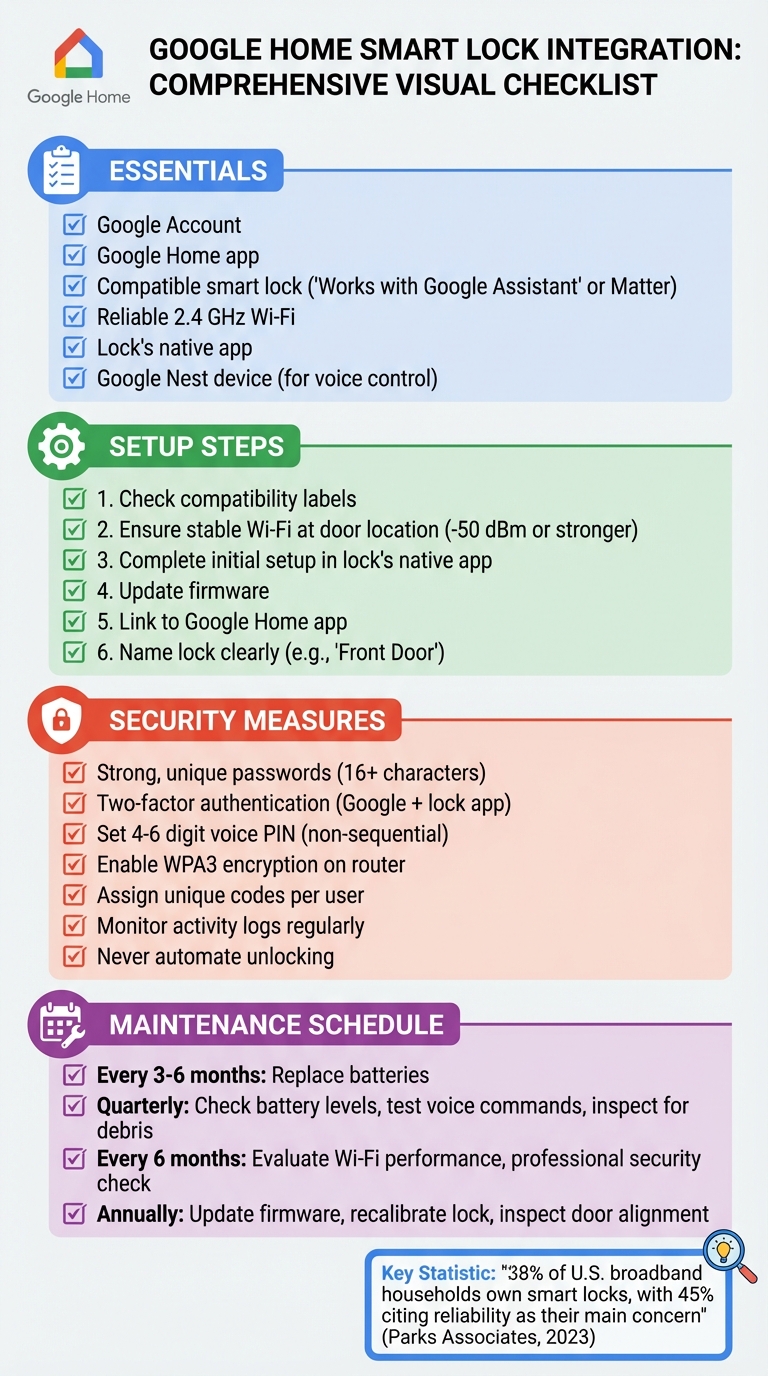
Google Home Smart Lock Setup and Security Checklist
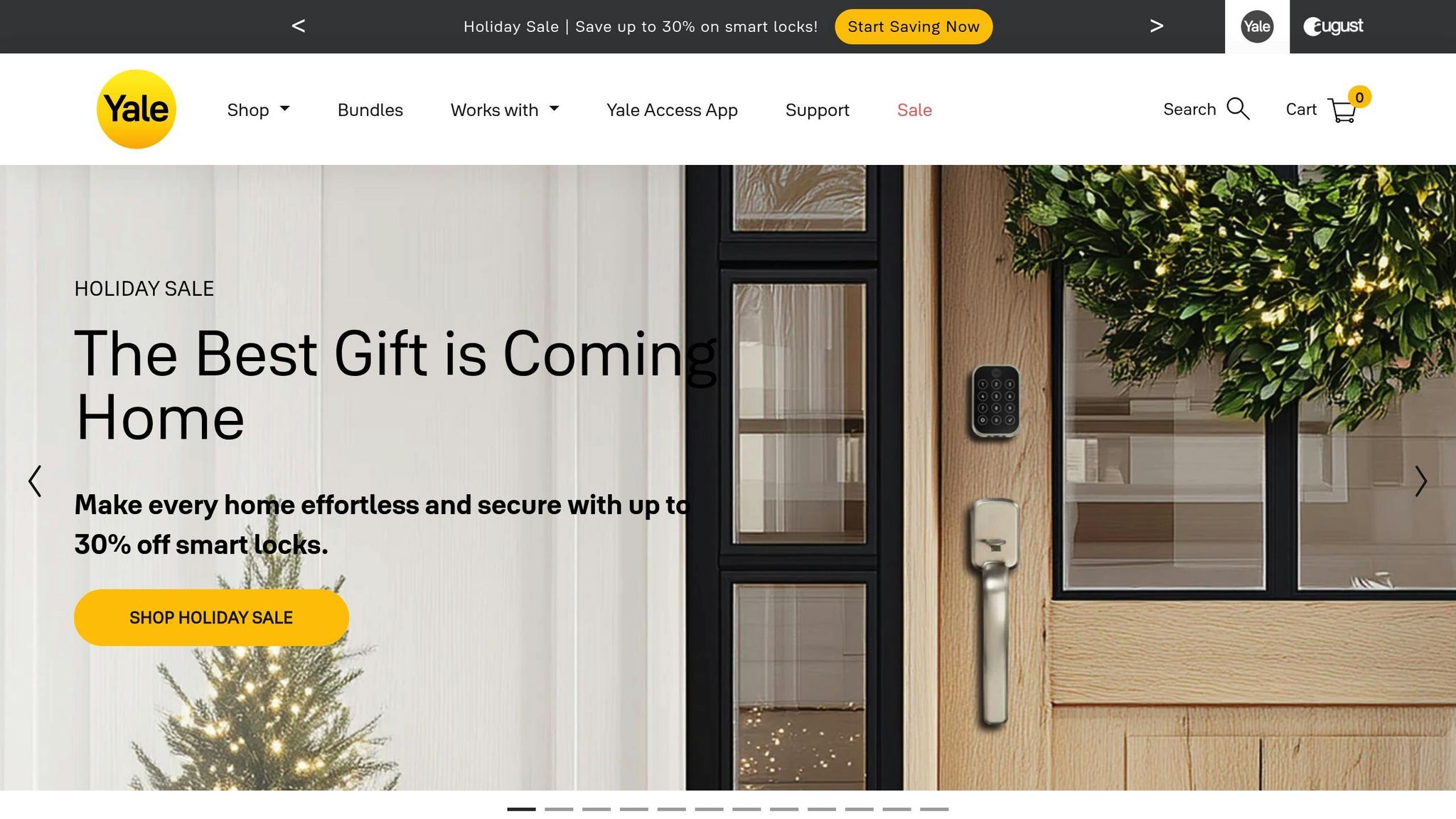
Yale Smart Lock With Google Matter | Demo and Review
Requirements and Compatibility
To use voice commands with Google Home, you’ll need a Google Account, the Google Home app, and at least one compatible Google Nest device – like the Nest Hub, Nest Mini, or Nest Audio. While you can manage smart locks through the app alone, voice control requires these devices. Before diving in, check the system requirements and compatibility details to ensure everything works seamlessly.
Google Home System Requirements
Start by installing the Google Home app on your smartphone. Make sure your phone has a stable internet connection for smooth operation. If you’re planning to use voice commands, you’ll need a Google Nest speaker or display connected to the same Wi-Fi network as your smartphone. Keeping the app updated is crucial, as updates often include new features and security enhancements, as well as compatibility updates for newer smart lock models.
Equally important is ensuring that your smart lock is fully compatible with the Google Home ecosystem.
Smart Lock Compatibility
When selecting a smart lock, look for models labeled "Works with Google Assistant" or those that support Matter. Complete the initial setup using the lock’s native app (like Aqara Home or Samsung SmartThings) before linking it to Google Home. Some locks may need an additional hub or bridge to connect to your Wi-Fi, while others come with built-in Wi-Fi. Be sure to check the manufacturer’s specifications to determine whether extra hardware is required. Also, confirm the lock fits standard U.S. door dimensions – typically a backset of 2-3/8 inches or 2-3/4 inches, and a door thickness ranging from 1-3/8 inches to 2 inches.
Network and Power Setup
A stable 2.4 GHz or dual-band Wi-Fi network with low latency is key for reliable smart lock performance. Position your router or mesh node near the entry door to avoid dead zones. For added security during power outages, consider using a UPS (uninterruptible power supply). While speed is important, prioritize low latency and minimal connection dropouts to ensure smooth operation.
Most smart locks will notify you of low battery levels via their app and Google Home, giving you time to replace them before they die. For emergencies, choose a smart lock with a mechanical key override or an external 9V jump-start option.
If your existing deadbolt or door hardware is outdated, misaligned, or otherwise non-standard, it may be worth consulting a professional locksmith. They can assess your door’s fit, adjust strike plates, and recommend smart locks that are compatible with Google Home while maintaining your door’s security and structural integrity. For example, Sherlock’s Locksmith in Pittsburgh, PA, specializes in ensuring both the technical and hardware requirements are met, providing peace of mind and a reliable setup for your smart lock system.
Security Best Practices
When connecting your smart lock to Google Home, security should be your top priority. While this integration brings convenience, it also requires extra precautions to ensure your home remains safe. The goal is to layer multiple security measures that keep unauthorized users out while allowing seamless access for your household.
Account and Device Protection
Start by securing your Google account with a strong, unique password that combines letters, numbers, and symbols. Enable two-factor authentication for both your Google account and the smart lock’s app. For your devices, use screen locks or biometric options like fingerprint or facial recognition. If your household has multiple users, assign each person their own Google account. This way, you can track changes and manage individual access controls.
Your Wi-Fi network is a critical piece of the puzzle. Protect it with a strong password (at least 16 characters), enable WPA3 encryption (or WPA2 if WPA3 isn’t available), and change the default admin password on your router. Disable WPS for added security and keep your router’s firmware updated regularly.
Once your accounts and devices are secure, the next step is to safeguard voice control features.
Voice Control Security
Voice commands add convenience but require extra care to avoid misuse. Many smart locks allow you to set a PIN for voice-activated unlocking. Use the Google Home app to create a 4- to 6-digit PIN that’s non-sequential and hard to guess. Limit voice unlock to trusted devices connected to your home network.
Be cautious about where and when you use voice commands. Avoid saying your PIN in public, shared spaces, or around guests, as these commands can be overheard. For doors that don’t need frequent remote access, you might consider disabling voice unlock entirely and relying on the Google Home app instead. If you have children, restrict their access to voice commands by managing permissions through the Google Home family settings.
Once voice control is secure, focus on managing who has access to your lock and how you monitor activity.
Managing Access
Smart locks let you control who can enter your home and when. Assign unique codes to each user and create temporary codes for guests. For instance, service providers like cleaners or repair technicians can use codes that expire after a set time or number of uses. You can also assign different permission levels, allowing some users to lock and unlock the door while others can only view the lock’s status.
Keep an eye on activity logs provided by both the Google Home app and the lock’s native app. Watch for unusual patterns, such as repeated failed unlock attempts or unexpected access times. You can also set up Google Home automations to send alerts if the door unlocks while you’re away.
To keep your smart lock functioning smoothly, ensure its firmware is always up to date. Enable automatic updates in both the Google Home app and the lock’s app. If automatic updates aren’t available, make it a habit to check for updates manually each month. These steps, combined with proper hardware setup and regular professional inspections, will help maintain your lock’s performance.
For expert installation and security assessments, you can turn to Sherlock’s Locksmith in Pittsburgh, PA. They specialize in electronic lock installation, keyless entry systems, and security consulting to help identify and address vulnerabilities in your home’s access points.
Maintaining Reliable Performance
The reliability of a smart lock depends on three key factors: a strong Wi-Fi connection, proper installation, and regular maintenance. According to a 2023 Parks Associates report, 38% of U.S. broadband households own at least one smart lock, with 45% of those owners identifying reliability – specifically connectivity and battery life – as their main concern. By following the setup and security tips mentioned earlier, along with the practices outlined below, you can ensure your smart lock performs consistently.
Hardware and Placement
A strong Wi-Fi signal is essential for your smart lock to function properly. Most smart locks connect using the 2.4 GHz band, which provides better range and penetration through walls compared to the 5 GHz band. To check the signal strength near your front door, use a Wi-Fi analyzer app on your smartphone – aim for a reading of -50 dBm or stronger. Ideally, position your router or a mesh network node within 30-50 feet of your door, keeping it away from devices like microwaves and cordless phones that can cause interference. Before relying on voice commands, test the connection at the door to ensure it’s stable.
Set your router to broadcast both 2.4 GHz and 5 GHz bands, and connect your smart lock specifically to the 2.4 GHz network for better range and reliability.
Installation and Maintenance
Proper door alignment is crucial for accurate lock operation. A misaligned door frame can prevent the deadbolt from fully extending into the strike plate, leading to incorrect status updates. If your door alignment is off, especially in older homes with settled foundations, you may need professional assistance to fix the issue.
For expert help, reach out to a locksmith like Sherlock’s Locksmith in Pittsburgh, PA. They can assess your door alignment, reinforce weak frames, and adjust strike plates to ensure your smart lock functions seamlessly, including integration with Google Home. Taking these proactive steps can help you avoid costly malfunctions in the future.
Replace the lock’s AA or AAA batteries every 3-6 months, and keep track of replacement dates to avoid unexpected lockouts.
Fixing Common Problems
If your smart lock responds slowly to voice commands or reports incorrect statuses, start by testing your internet speed – ensure you have at least 5 Mbps download speed. Restart both your router and the lock itself. If the lock appears offline in Google Home, check its connection through the lock’s native app to confirm it’s still on your home network.
For locks requiring a hub, make sure the hub is always powered and connected to Wi-Fi.
Develop a quarterly maintenance routine to keep your lock in top shape. This includes checking battery levels, testing voice commands, and inspecting the lock mechanism for debris or corrosion. Every six months, evaluate your Wi-Fi performance and adjust your router’s position if the signal has weakened. Annually, update the lock’s firmware, recalibrate it, and have a professional locksmith inspect the mechanism and door alignment to catch any potential problems before they escalate.
sbb-itb-643e28e
Setting Up Google Home Automations
Google Home routines make managing your smart lock both convenient and secure. These automations work best when paired with proper lock maintenance and a reliable network. For safety, focus on automating locking actions and status checks – never automate unlocking.
Creating Secure Routines
Set up routines to lock doors and check their status, but avoid automating unlock functions. For example, a "Goodnight" routine can lock all exterior doors, adjust your thermostat, and provide an audio confirmation that your home is secure. Similarly, an "Away from Home" routine could lock doors, turn off interior lights, and activate cameras when your phone detects you’ve left. You can even receive a push notification confirming everything is locked and secure.
Always use a unique PIN for unlocking routines and verify these settings on all devices. To set up the PIN, open the Google Home app, and assign a code that’s distinct from your alarm, phone, or banking passcodes. Avoid easy-to-guess options like "1234" or birth years. For added security, never rely on geolocation to unlock doors. Instead, require a PIN, keypad code, or manual app confirmation. Use presence detection for secondary actions, like turning on lights or cameras, while keeping unlocking actions PIN-protected.
Connecting with Other Smart Devices
Once your secure routines are in place, integrate additional smart devices to improve visibility and security at entry points. For instance, you could create a routine that briefly turns on porch and hallway lights when the front door is unlocked after sunset. At bedtime, locking the door might activate exterior floodlights for a moment before they switch to motion-activated mode. Meanwhile, indoor cameras can arm themselves in "home" or "night" mode. Motion sensors near doors can also trigger helpful actions, like pathway lighting or status announcements, without compromising lock security.
Managing Household Access
Managing who can control your smart locks is just as important as setting up routines. Limit Voice Match and personal result access to trusted users. Within the Google Home app, use the "Household" and "Digital Wellbeing" settings to restrict lock controls, especially on smart displays or speakers near exterior doors. Disable sensitive personal results on devices located near windows, where outside commands might be heard and acted upon.
Whenever you create or update a lock routine, test it thoroughly. Check that it activates correctly, only the intended devices respond, and that a PIN is always required for unlocking. Test routines using different phones, speakers, and user accounts to ensure permissions are properly configured – and re-test after app updates or Wi-Fi changes to maintain security.
For more complex setups involving multiple locks or existing security systems, consider professional assistance. For example, Sherlock’s Locksmith in Pittsburgh can help install and configure smart locks, ensure door alignment works with auto-lock features, and even conduct security audits to make sure both physical and digital access are in sync.
Working with a Professional Locksmith
Professional locksmith services play a crucial role in maintaining the reliability and security of your smart lock system, complementing proper installation and regular upkeep.
When to Call a Locksmith
For complex smart lock upgrades – like replacing outdated locks or fixing doors that are warped, sticking, or misaligned – professional help is essential. These issues, if left unchecked, can lead to battery drain or even lock failure. A skilled locksmith can adjust the door, frame, and strike plate to ensure everything operates smoothly before installing your smart lock.
Locksmiths are also invaluable when integrating mechanical and smart locks with systems like Google Home, cameras, and alarms. Whether you’re moving into a new home, changing tenants, or responding to a security concern, a locksmith can rekey existing locks and seamlessly integrate new smart locks into your setup. Manufacturers often recommend professional installation to avoid problems like jamming, poor battery life, or complete lock failure due to improper fitting.
Sherlock’s Locksmith Services
If you’re in Pittsburgh, PA, Sherlock’s Locksmith offers a comprehensive range of mobile residential services to meet all your smart lock needs. Their certified technicians handle onsite smart lock installation, lock repair, rekeying, key duplication, and emergency lockout assistance. They also ensure your door and frame are properly aligned, set up secure PINs and user roles, update firmware, and confirm your Wi-Fi signal is strong at the door. Customers consistently praise their prompt, professional, and efficient service.
Beyond basic installations, Sherlock’s Locksmith specializes in security system installation, upgrades, access control systems, keyless entry systems, electronic locks, and integrating security systems. This makes them a great choice for coordinating your smart locks with other devices in your Google Home ecosystem. They’re also available 24/7 for emergency lockouts, a critical service if your smart lock or app fails and you’re left without a way to enter your home.
For standard residential smart lock installations, labor typically costs $100–$250 (excluding the cost of the lock itself), while rekeying services are often priced at $20–$50 per lock when bundled with an installation. Sherlock’s proactive approach ensures more than just installation – they also focus on long-term performance and security.
Regular Maintenance and Security Checks
To keep your smart locks in top condition, schedule semiannual security checks. During these visits, locksmiths can inspect the lock’s operation, door alignment, strike plates, and hardware. They can also review smart lock logs, remove access for former residents or guests, and ensure all firmware and apps are updated to close any potential security gaps. Combining these inspections with regular firmware updates helps you maintain both physical and digital security, giving you peace of mind that your home is protected and running smoothly.
Conclusion
By following the steps outlined earlier, integrating smart locks with Google Home can provide both hands-free convenience and reliable access control. Start by confirming compatibility – look for labels like "Works with Google" or Matter-compatible before making a purchase. Make sure your Wi-Fi signal reaches all entry points, connect the lock to its native app first, and update the firmware before linking it to Google Home. Assign clear, specific names to each lock, such as "Front Door", to ensure seamless voice commands.
Security should never take a back seat to convenience. Protect your system by enabling two-factor authentication on your Google account, setting a unique voice PIN for unlocking, and regularly reviewing access logs to monitor for any unusual activity. The required voice PIN for unlocking adds an extra safeguard, preventing unauthorized access from casual voice commands.
Proper installation is crucial for dependable functionality. Misaligned doors, frames, or hardware are common causes of smart lock issues, so double-check everything is aligned correctly before installing the electronic components.
For homeowners in Pittsburgh, PA, Sherlock’s Locksmith provides a full range of smart lock services, including helping you choose compatible devices, professional installation, rekeying existing locks, and integrating smart locks into larger security systems. Their certified technicians handle both the physical and digital setup, and they also offer 24/7 emergency lockout assistance in case of app or device failure.
With the right hardware, secure configurations, and expert support, you can create a Google Home smart lock system that balances both convenience and safety. Taking this comprehensive approach ensures peace of mind and long-term reliability for your smart home setup.
FAQs
How can I check if my smart lock works with Google Home?
To check if your smart lock works with Google Home, start by examining the product details or packaging. Look for mentions of Google Home or Google Assistant compatibility – this is usually highlighted if supported.
You can also confirm compatibility through the Google Home app on your smartphone. Simply go to the ‘Works with Google’ section and search for your smart lock brand. If it shows up in the list, you’re good to go. For more clarity, refer to the manufacturer’s website or user manual for detailed compatibility information.
If you need help with installation or ensuring your smart lock integrates smoothly with Google Home, contacting a professional locksmith like Sherlock’s Locksmith in Pittsburgh, PA, can be a great option. They can help set up your smart lock securely and make sure it functions perfectly with your smart home system.
What steps can I take to ensure security when connecting a smart lock to Google Home?
To keep your smart lock working safely with Google Home, start by setting strong, unique passwords for both your Google account and the smart lock app. Don’t stop there – enable two-factor authentication (2FA) on your accounts to add an extra layer of security.
Your home Wi-Fi network also plays a big role in keeping things secure. Use a strong password and make sure your router is set to WPA3 encryption for better protection. Additionally, keep your smart lock’s firmware and the Google Home app up to date. Regular updates often include critical security fixes.
For extra peace of mind, restrict sensitive actions like unlocking your door to voice commands that require a PIN or voice match. These steps not only safeguard your home but also let you fully enjoy the convenience of connecting your smart lock with Google Home.
When is it a good idea to hire a professional locksmith for setting up a smart lock?
Hiring a professional locksmith for your smart lock setup is a smart move if you’re uncertain about the installation process, need to repair or rekey existing locks, or find yourself locked out unexpectedly. A locksmith can make sure your smart lock is installed correctly and works smoothly with systems like Google Home.
If you’re looking to connect your smart lock with voice assistants or want expert advice on improving your home’s security, consulting a certified locksmith can be invaluable. Their expertise ensures everything is set up securely and efficiently.