




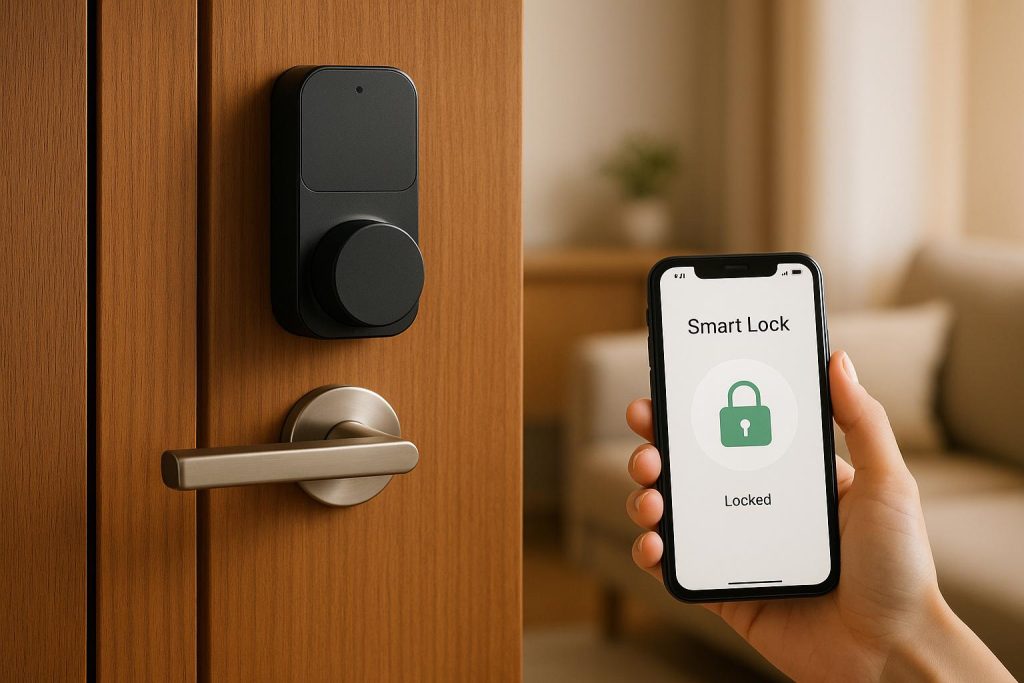
Smart locks are reshaping home security in the U.S. They let you control access to your home with smartphones, PIN codes, or even fingerprints – no keys required. When paired with a home security system, smart locks offer remote management, real-time alerts, and automation features like locking doors when you arm your alarm.
Here’s what you need to know:
- How Smart Locks Work: They use Wi-Fi, Bluetooth, Z-Wave, or Zigbee to connect with your phone or smart home hub.
- Key Features: Keyless entry, guest access, activity logs, and integrations with Alexa, Google Home, or SmartThings.
- Why They Matter: Boost security, track who enters/exits, and simplify access for deliveries, guests, or emergencies.
- Installation & Setup: Most fit standard U.S. doors and can be installed DIY or by a locksmith. Digital setup involves pairing with apps or hubs.
- Maintenance: Replace batteries regularly, keep firmware updated, and ensure proper door alignment.
- Security Tips: Use strong passwords, enable multi-factor authentication, and secure your Wi-Fi network.
Smart locks combine convenience with better control over your home’s security. Whether you’re upgrading your front door or managing access for a rental property, they’re a practical solution. Read on for installation tips, compatibility guidance, and maintenance advice.
How To Sync The Lock On Your Door To A Security System – Home Automation
Smart Lock Technology and Compatibility
Understanding how smart locks work and connect to other devices is key to avoiding compatibility headaches.
Smart Lock Components
Modern smart locks do more than just replace the traditional thumb-turn with an electronic mechanism – they bring a range of advanced features to the table. At the heart of these locks is a motor that moves the deadbolt when you send a command, whether through your phone, a keypad, or another input method. This motor is controlled by a circuit board, which processes commands from interfaces like apps, PIN pads, or fingerprint scanners.
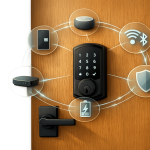
What makes a smart lock truly "smart" is its communication module. Depending on the model, this module might use Wi-Fi, Bluetooth, Z-Wave, or Zigbee to connect with your smartphone, smart home hub, or security system. Most smart locks in the U.S. rely on AA batteries, typically four to eight, to power their functions. They’re designed to send low-battery alerts through your app or hub, so you’ll know when it’s time for a replacement. Battery life varies: locks using Bluetooth, Z-Wave, or Zigbee tend to last one to two years under normal use, while Wi-Fi models consume more power and may need new batteries within a year.
To ensure reliability, many smart locks include a physical key cylinder or a concealed mechanical override. This backup lets you unlock the door with a key if the batteries die, the network goes offline, or the electronics fail. Some models also feature tamper sensors and door-position sensors. These can detect forced entry or unusual activity, sending alerts or triggering alarms if someone tries to break in.
Connectivity Options and Integration Protocols
The type of wireless technology in your smart lock determines how it communicates with other devices and how easily it integrates with your home security or automation system.
- Wi-Fi Locks: These locks connect directly to your home router, allowing remote control from anywhere with internet access. Through the manufacturer’s app, you can lock or unlock your door, check its status, and receive notifications. While Wi-Fi offers convenience and a straightforward setup, it does drain batteries faster, often requiring replacements in under a year. For best performance, ensure your router has strong coverage near the door, and look for models with power-saving features.
- Bluetooth Locks: Bluetooth models are energy-efficient and ideal for local use. Your phone can unlock the door automatically as you approach, and you can control the lock within a range of 30 to 50 feet. However, Bluetooth alone doesn’t support remote access. For that, you’ll need a bridge or hub that connects the lock to your Wi-Fi network. These locks are popular for simple, keyless entry without the need for a full smart home setup.
- Z-Wave and Zigbee Locks: These low-power mesh protocols are widely used in professional security systems and smart home hubs. In a mesh network, each device relays signals to others, extending the range across your home. This is particularly useful in larger homes where a single hub might not cover every door. Z-Wave and Zigbee locks typically offer better battery life than Wi-Fi models and integrate seamlessly with alarm panels from providers like Alarm.com, Qolsys, and 2GIG. However, they require a compatible hub or security panel to function. For example, SimpliSafe’s Smart Lock Series 2 needs the latest SimpliSafe base station to operate fully.
Integration with platforms like Amazon Alexa, Google Assistant, Apple HomeKit, Samsung SmartThings, and Ring depends on whether the lock is certified to work with those systems. Some locks allow basic commands like locking and unlocking, while others support advanced features like user code management, activity logs, and scheduled access. For instance, Ecobee’s integration with Yale and August locks can automate locking all doors when you leave the house, while also triggering cameras or alarms based on motion detection.
| Protocol | Remote Access | Battery Life | Hub Required? | Best For |
|---|---|---|---|---|
| Wi-Fi | Yes (direct to cloud) | Shorter (under 1 year) | No | Simple setup, cloud control |
| Bluetooth | Only with bridge | Longer (1–2 years) | Optional (for remote) | Local use, auto-unlock |
| Z-Wave / Zigbee | Yes (via hub) | Longer (1–2 years) | Yes | Security systems, mesh networks |
When integrating smart locks, confirm compatibility with your existing system to avoid issues. Manufacturers like Schlage and Yale provide detailed compatibility lists for their locks, specifying supported hubs, voice assistants, and platforms.
When to Call a Professional Locksmith
While many smart locks are marketed as DIY-friendly, there are times when professional help is the better option. A skilled locksmith can address both mechanical and digital challenges, ensuring your lock operates smoothly and securely.
Door and hardware problems are a common reason to call in a pro. If your door is misaligned, warped, or has a damaged frame, the lock’s motor may struggle to turn the deadbolt, leading to faster battery drain and potential failure. A locksmith can fix alignment issues, reinforce strike plates, and upgrade weak hardware to ensure optimal performance.
Complex integrations can also benefit from expert assistance. Setting up multiple Z-Wave or Zigbee locks, coordinating locks with fire alarms, or managing user codes across several devices can be tricky. Mistakes in configuration can lead to lockouts or security gaps. A professional locksmith can handle the setup correctly, minimizing risks.
If you’re not comfortable with tasks like drilling, chiseling, or troubleshooting wireless interference, or if you need to rekey the lock’s backup cylinder to match your existing keys, hiring a locksmith is a smart move. Companies like Sherlock’s Locksmith offer comprehensive services, from door preparation and hardware alignment to digital setup and testing. They can also help during lockouts or integration failures, ensuring your system runs smoothly.
Before buying a smart lock, take stock of your current setup. Which security system, hub, or voice assistant do you use? Check the manufacturer’s compatibility page to ensure the lock will work with your platform. Measure your door’s dimensions to confirm they match the lock’s specifications, and decide whether you want a traditional key backup. Planning ahead – and knowing when to call in a pro – can save you time, frustration, and potential security gaps as you upgrade your home.
Installing and Setting Up Smart Locks
Get your smart lock up and running by preparing your door, installing the hardware, and configuring the digital features for smooth operation and security.
Pre-Installation Assessment
Before diving in, take a close look at your door and network setup. Most smart locks are designed for standard U.S. residential doors with single-cylinder deadbolts – those with a key on the outside and a thumb-turn on the inside. If your door has a double-cylinder deadbolt (keyed on both sides) or a mortise lock, check the manufacturer’s compatibility guide. Many retrofit models won’t work with these configurations.
Ensure your door’s dimensions match the lock’s requirements. For full replacement locks, like the August Wi‑Fi Smart Lock, confirm the cross-bore diameter – usually 2⅛ inches.
Check your door’s alignment. Close it and manually lock and unlock the deadbolt. If you have to lift or pull the door to make the bolt slide smoothly, it’s misaligned. This can overwork the smart lock’s motor, drain batteries faster, and even cause jams. Fix this by adjusting the hinges or strike plate. If the problem persists, consider calling a locksmith. For instance, Sherlock’s Locksmith in Pittsburgh offers services like door preparation and hardware alignment to ensure everything works flawlessly from the start.
Test your Wi‑Fi signal strength near the door. Weak or unreliable signals might require a Wi‑Fi extender or a mesh node nearby, especially for Wi‑Fi-based locks. For Z‑Wave or Zigbee locks, make sure your smart home hub or security panel is within range and not blocked by thick walls or metal doors. Poor connectivity can result in delayed commands or failed remote access.
If your door has unusual hardware, needs new holes drilled, or you’re connecting the lock to a complex security system, professional installation might be the safer bet. Certified locksmiths can handle these challenges efficiently, reducing the risk of lockouts or security issues.
Once your door and network are ready, you can move on to the installation process.
Installation Steps
Although the details vary by model, most smart locks follow a similar installation process.
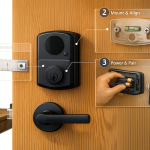
Start by removing your old lock. Unscrew the interior thumb-turn plate, then slide it off. Remove the exterior cylinder and pull out the deadbolt latch from the door’s edge. If needed, take photos of the setup for reference.
For full replacement locks, install the new latch and strike plate from the kit. Make sure the beveled edge of the latch faces the door jamb so the bolt retracts smoothly. Secure it with the provided screws, ensuring it sits flush with the door edge.
Next, install the exterior hardware. If you’re using a retrofit model like the August Wi‑Fi Smart Lock, you’ll keep your existing exterior cylinder and only replace the interior side. For full replacement locks, mount the exterior keypad or cylinder on the outside of the door, threading any tailpieces or cables through the cross-bore. Leave the screws slightly loose for alignment adjustments.
Attach the interior mounting plate and lock assembly. Align everything evenly to avoid misalignment. Tighten the screws gradually and evenly to prevent twisting or warping the lock body, which could cause the deadbolt to stick.
Insert the batteries – most models use four to eight AA batteries – and follow any prompts to run the lock’s calibration routine. This step lets the motor learn the locked and unlocked positions. With the door open, test the lock manually using the thumb-turn and keypad. Lock and unlock the door several times to ensure smooth operation. Then, close the door and repeat the test, listening for any signs of strain or repeated motor attempts. If the lock struggles, check the strike plate alignment and adjust as needed.
Once the physical installation is complete and the lock operates smoothly, you’re ready to configure the digital features.
Digital Setup and Configuration
With the hardware in place, connect your smart lock to your phone and home security system. Start by downloading the official app, creating an account with a strong password, and enabling multi-factor authentication. Pair the lock with the app by following the instructions. Depending on the model, this could involve Bluetooth pairing, Wi‑Fi setup, or connecting through a compatible hub. Assign a name to the lock (e.g., "Front Door" or "Garage Entry") and set your location to enable features like geo-fencing. Turn on notifications to stay updated on lock activity, battery levels, or if the door is left unlocked.
Update the firmware right away to fix bugs, patch security vulnerabilities, and improve performance. Make sure battery alerts are enabled to avoid surprises.
Set up user codes or virtual keys for anyone who needs access. Many smart locks let you assign individual PINs or app-based keys for family, guests, or service providers. You can even schedule access – like giving a cleaner access only on weekdays from 9:00 a.m. to 5:00 p.m. – and use the app’s activity log to track who’s coming and going.
If you’re integrating the lock with a home security system or smart home platform, double-check that your lock is listed as compatible. For Z‑Wave or Zigbee locks, activate pairing mode to connect with your hub. Wi‑Fi locks may require linking accounts through the app.
Set up automations to match your security routines. For example, you can program the lock to secure the door after a set time, lock all doors when the security system is armed, or unlock specific doors during a verified fire alarm. These integrations make your system more efficient, allowing you to monitor or control the lock remotely through the app.
For added safety, enable integration with fire or smoke alarms if your system supports it. Some setups can automatically unlock doors during a confirmed fire, aiding evacuation and first-responder access. Always keep a backup entry method, such as a physical key or a trusted neighbor with a spare, in case of dead batteries or network outages.
Finally, set reminders to replace batteries when the app shows they’re at 20–30% capacity. This ensures your lock continues to function reliably.
sbb-itb-643e28e
Maintaining and Securing Smart Locks
After installation, keeping your smart lock in good shape and secure is essential for long-term reliability and safety.
Regular Maintenance Tasks
Keep an eye on battery levels monthly and replace all batteries at the same time when they’re running low. Most smart locks use four to eight AA batteries. Always use a fresh set from the same pack to ensure consistent performance, and double-check the polarity and that the battery cover is properly sealed to keep moisture out. If you live in colder parts of the U.S., expect to swap out batteries more frequently during the winter months.
Twice a year, check to make sure your door is properly aligned. If you find yourself pushing or pulling the door to lock it, adjust the hinges or strike plate. Misalignment can overwork the motor, draining the batteries faster and increasing the risk of jams.
Clean the keypad every three months using a damp microfiber cloth – skip the harsh chemicals. If you’re in an area with snow and de-icing agents, grime can build up quickly, so you might need to clean it more often during winter. Always apply cleaners to the cloth, not directly onto the lock.
Lubricate moving parts like the deadbolt, latch, and keyway twice a year with a dry graphite or Teflon-based lubricant. Avoid petroleum-based products, as they can attract dust. Apply a small amount and operate the lock a few times to spread the lubricant evenly.
Don’t overlook software updates. Check for firmware and app updates every one to two months to fix vulnerabilities and ensure compatibility. Enable automatic updates if available. When updating, make sure you have a stable Wi-Fi or hub connection, enough battery power, and follow the app’s instructions. After updates or network changes, test the lock using all access methods – keypad, app, voice assistant, or security panel – to confirm everything works smoothly.
Security and Privacy Practices
Good digital habits are just as important as proper installation when it comes to protecting your smart lock from cyber threats. Use strong, unique passwords for your smart lock accounts – at least 12 characters with a mix of letters, numbers, and symbols. Avoid reusing passwords from other accounts like email or social media, and consider using a password manager to store them securely. Enable multi-factor authentication (MFA) wherever it’s an option.
Assign unique, time-limited codes for each user and revoke them when they’re no longer needed. This not only tracks activity in your app’s log but also allows you to remove access for specific users without affecting everyone else.
Weak or reused passwords are often the culprit in device compromises – not hardware failures. Avoid simple combinations like birthdays, addresses, or sequences such as "1234" or "0000." If your phone is lost or stolen, immediately revoke app sessions, change passwords, and wipe the device.
Set up notifications for lock and unlock events so you can quickly spot anything suspicious. If you see unexpected activity, repeated failed code attempts, or signs of someone trying to access administrative settings, act immediately.
Securing your home Wi-Fi is equally important. Use WPA2 or WPA3 encryption with a strong, unique passphrase and change your router’s default admin credentials. If possible, place smart devices like locks and hubs on a separate IoT or guest network. Enable automatic firmware updates on your router and periodically check for unfamiliar devices connected to your network. Limit remote access features like UPnP or open port forwarding, and instead use secure VPNs or official cloud apps from trusted vendors.
Stick to installing apps and integrations from reputable lock manufacturers or major security brands. Revoke access for any unused third-party services. Be cautious when sharing lock access information via email or text, and verify any unexpected security alerts directly within the official apps to avoid phishing scams.
If you notice issues like a sluggish or noisy bolt, frequent battery drains, or intermittent hub connections, check the door alignment, replace the batteries, and confirm your firmware is updated. After resolving these problems, reset or update all PIN codes and passwords, enable MFA, and review the user list to remove any unnecessary accounts. If you find physical signs of tampering – like scratches, pry marks, or broken parts – or if connectivity problems persist, contact a professional locksmith or the lock manufacturer for further help.
When to Upgrade or Expand Your System
Your smart lock system should grow with your needs. Consider upgrading if your lock no longer gets firmware updates, has recurring issues, or isn’t compatible with newer technology. Physical wear or outdated features might also mean it’s time for a replacement.
Changes in your household or lifestyle, such as renting out a room, hiring regular service providers, or adding new family members, might require additional access codes, better activity tracking, or integration with security cameras and alarms.
In the U.S., basic smart deadbolts without Wi-Fi bridges generally cost between $100 and $200. Models with Wi-Fi, keypads, fingerprint readers, and advanced features typically range from $200 to $300 or more. Regular upkeep can extend the life of your smart lock and reduce the need for costly emergency repairs.
When it’s time to upgrade or expand, professional assistance can make the process easier. Certified locksmiths can handle complex installations, integrate your locks with broader security systems, and ensure proper door alignment. For instance, Sherlock’s Locksmith in Pittsburgh offers services like lock installation, repair, rekeying, key duplication, and security system setup, helping to keep your home secure and connected.
Conclusion
Smart locks are changing the way U.S. homeowners think about security. Features like automated locking when the alarm is armed make life easier while adding an extra layer of protection. Plus, tools like activity logs and real-time alerts let you keep an eye on your home’s access points, no matter where you are.
But getting the most out of a smart lock starts with choosing the right one and setting it up properly. Look for a lock that works seamlessly with your current smart home system, fits your door perfectly, and can be configured securely. These details are key to ensuring your lock remains dependable in the long run.
Regular upkeep is just as important. Checking the batteries, updating firmware, and securing your network all play a role in keeping your system running smoothly. And if you’re planning to add smart locks to more doors or upgrade to a model with advanced features, getting professional advice can make the process hassle-free. By focusing on compatibility, precise installation, and regular maintenance, you’ll be able to fully enjoy the convenience and peace of mind that smart locks offer.
FAQs
What’s the difference between Wi-Fi, Bluetooth, Z-Wave, and Zigbee smart locks, and how do I choose the best one for my home?
When it comes to smart locks, the technology behind them plays a big role in how they function. The main players here are Wi-Fi, Bluetooth, Z-Wave, and Zigbee, each offering its own set of advantages.
- Wi-Fi smart locks give you the ability to control your lock remotely and receive real-time updates. However, this convenience comes at a cost – these locks tend to drain batteries faster than other options.
- Bluetooth smart locks are more energy-efficient and perfect for controlling your lock at close range. The downside? They don’t support remote access unless paired with additional devices.
- Z-Wave and Zigbee smart locks are built to work with smart home hubs. They offer reliable performance and low energy consumption, but you’ll need a compatible hub to make them work.
Choosing the right smart lock depends on what matters most to you. Want remote access and don’t mind swapping batteries more often? Wi-Fi locks are your go-to. Prefer something simpler for nearby control? Bluetooth might be the way to go. If you’re already using – or planning to invest in – a smart home hub, Z-Wave or Zigbee locks can provide smooth integration and efficient energy use.
How do I know if a smart lock will work with my current smart home system and security setup?
When choosing a smart lock for your smart home system, the first step is to verify its compatibility with your automation platform – whether that’s Alexa, Google Home, or Apple HomeKit. It’s also essential to check if the lock supports key communication protocols like Z-Wave, Zigbee, or Wi-Fi.
Take a close look at the lock’s specifications and ensure they align with your system’s requirements. If you’re feeling uncertain or overwhelmed, reaching out to a professional locksmith can help you pick and set up the right smart lock for your home setup.
What are some common problems with installing smart locks, and how do I know when to call a professional locksmith?
Installing smart locks can sometimes bring up challenges like misaligned hardware, faulty wiring, or software glitches that interfere with how the lock works. These hiccups can prevent the lock from functioning properly or syncing with your home security system.
If you’re finding the installation process tricky, dealing with persistent technical problems, or need assistance with a more complex setup, reaching out to a professional locksmith – such as Sherlock’s Locksmith – might be your best bet. An experienced locksmith can make sure your smart lock is installed the right way and integrates smoothly with your security system.