



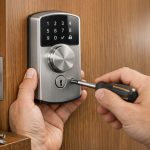



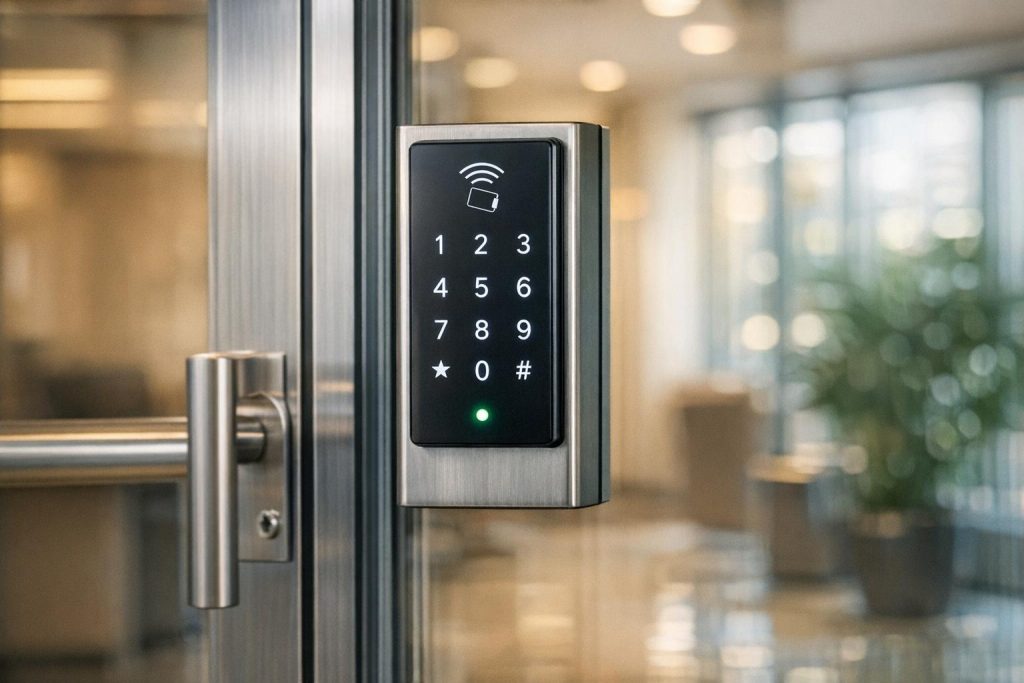
Keyless entry systems are modern solutions replacing traditional locks, offering secure, electronic access via PINs, RFID cards, mobile apps, or biometrics. Proper maintenance ensures they remain reliable and secure. Neglecting upkeep can lead to failures, expensive repairs, and security risks. Here’s what you need to know:
- Daily Tasks: Clean keypads and touchscreens with mild detergent and inspect for visible damage or tampering.
- Battery Care: Replace batteries every 1–2 years, clean compartments, and use high-quality alkaline or lithium batteries.
- Software Updates: Regularly update firmware to fix bugs, improve security, and maintain compatibility.
- Quarterly & Annual Checks: Lubricate mechanical parts, tighten screws, and schedule professional inspections for deeper diagnostics.
- Common Issues: Dust, misalignment, or low batteries can cause malfunctions. Regular cleaning and alignment checks help prevent jams or lockouts.
- When to Upgrade: Frequent failures, outdated technology, or lack of software support signal it’s time to replace your system.
Pro Tip: Stick to a maintenance schedule – monthly, quarterly, and annual tasks – to extend system life and prevent costly disruptions. For complex issues, consult a professional locksmith.
KABA Simplex 1000 Mechanical Keypad Lock Repair
Daily Cleaning and Inspection
Performing daily checks is a simple yet effective way to avoid issues with keyless entry systems. Dust and grime can build up quickly, especially in high-traffic areas, and these particles can interfere with internal mechanisms, causing jams in wheels or levers. A little daily attention can go a long way in ensuring reliable performance over time.
Cleaning Keypads and Touchscreens
When cleaning touchscreens, use a mixture of mild dishwashing liquid and warm water. Gently wipe the screen and immediately dry it with a soft cloth.
"Use a mild dishwashing liquid and warm water to clean the touchscreen. Do not leave this on the screen for a long time but wipe it once."
– PI Security Solutions
Keep the device away from direct sunlight, as heat can damage the components. Avoid using sharp tools like razors or squeegees to remove tough grime. For mechanical keypads with hard-to-reach crevices, a thin metal wire can help dislodge dirt. Once loosened, wipe away the debris with a damp cloth for a thorough clean.
Visual Inspection for Damage
After cleaning, take a moment to visually inspect the system for any signs of wear or damage. Start with the strike plate – clear out debris like gum or wrappers that could prevent the door from latching properly. As Kenny’s Lock advises, "Making sure that there’s nothing blocking the strike on a daily basis will ensure that your doors are securely closing." Forcing a door to close when debris is present can strain the locking mechanism, potentially leading to damage.
Check other components like door handles, screws, insulation, and battery compartments for issues such as corrosion or leaks. Don’t forget to inspect hydraulic closures to ensure they’re functioning correctly. Additionally, look for scratches or pry marks near the lock cylinder or keypad, as these could signal tampering attempts. Regular inspections like these can help catch problems early and maintain the security of your system.
Battery Management and Replacement
A dead battery is one of the most common reasons for keyless entry failures. While keyless locks typically last about 3–5 years on their original batteries, frequent use can shorten this lifespan to just 6 months–2 years. Keeping an eye on battery health is crucial to avoid unexpected lockouts. Here’s how you can monitor and manage your batteries effectively.
How to Check Battery Levels
Most systems provide clear signs when the battery is running low. These can include audible beeps, flashing red LEDs, or slower-than-usual operation. Chris Strauss highlights that sluggish performance is often a telltale sign of low battery power. Some smart systems take it a step further by sending push notifications or displaying battery levels in their management app. For key fob systems, you might notice a reduced signal range or inactive button lights as indicators of a dying battery. During regular maintenance, inspect the battery compartment for any signs of leakage or corrosion, as these could damage the lock mechanism.
Battery Replacement Best Practices
When it’s time to replace the batteries, start by carefully opening the compartment with a Phillips or flathead screwdriver to avoid damaging the lock. Pay attention to the positive (+) and negative (-) markings on the batteries before removing them to prevent short-circuiting. Clean the compartment with a soft cloth or brush to remove dust or corrosion. For optimal performance, use high-quality alkaline or lithium batteries (such as CR123, AA, or AAA) as recommended by the manufacturer, and never mix different battery types. Once the new batteries are in place, test the lock immediately using an access code or the app to ensure everything is working properly.
For added peace of mind, Kenny’s Lock suggests replacing batteries annually. It’s also a good idea to keep a 9V battery or a physical override key handy as a backup in case of emergencies.
Software Updates and Firmware Maintenance
Keeping your software up-to-date is just as important as maintaining your lock’s battery. Regular updates to your keyless entry system’s firmware help shield it from vulnerabilities that cybercriminals often exploit. According to Microsoft’s 2021 Security Signals report, firmware attacks can lead to remote device control or data theft, making updates a critical step in protecting your system.
Why Regular Updates Matter
Firmware updates do more than just fix bugs – they close security loopholes that hackers might use to infiltrate your system. As N-able highlights:
"Vulnerabilities in firmware can be exploited by cybercriminals. Updates patch these security gaps, protect against malware, and mitigate the risk of attacks."
These updates also ensure that all components – like sensors, readers, and locks – communicate seamlessly, reducing delays. Beyond security, updates can extend your hardware’s functionality. For instance, many updates now include support for multi-factor authentication (MFA), which combines PINs with mobile or biometric credentials for added protection. Ignoring updates can have severe consequences. In one case, attackers corrupted firmware during a cyberattack on the Ukrainian power grid, rendering hardware completely useless.
How to Perform System Updates
Before starting a firmware update, make sure your lock has fresh batteries to avoid potential damage during the process. Back up important data, such as access logs and user configurations, to prevent loss if anything goes wrong.
To update, log into your system’s admin dashboard and navigate to the "Firmware" or "System Updates" section. Check for any available updates. Ensure your Wi-Fi or gateway connection is stable before proceeding. Follow the on-screen instructions to complete the update, and avoid interrupting the power or connection during the process. Afterward, test all access methods – like PINs, fobs, and mobile credentials – to confirm everything is working properly. If possible, enable automatic updates to ensure your system stays protected without manual intervention.
For professional help with system updates, reach out to Sherlock’s Locksmith in Pittsburgh, PA. They can assist with ensuring your system is secure and up-to-date.
Hardware Troubleshooting for Common Problems
Hardware problems – like battery issues or physical damage – can disrupt keyless entry systems. Be alert for signs such as unresponsive systems, flickering screens, or devices cycling on and off intermittently. Physical damage, such as cracks or chips in sensors, can also lead to authentication failures.
Environmental factors often play a role in system malfunctions. Dust, dirt, and grime can build up on biometric scanners or inside lock cylinders, leading to jammed mechanisms or failed scans. In colder regions, freezing temperatures can cause moisture inside locks to freeze, while high humidity can result in rust or corrosion of internal components. Mechanical misalignment, often caused by door slamming or loose hinges, can shift the position of the lock and strike plate, preventing the system from engaging properly.
Reader and Lock Mechanism Checks
Start by cleaning biometric scanners and card readers with a dry microfiber cloth to remove dirt – avoid using a damp cloth unless the manufacturer specifically advises it. Once cleaned, inspect the sensor for physical damage like cracks or chips. For networked systems, verify that firewall settings and Wi-Fi credentials are correctly configured.
Unusual clicking or grinding sounds can point to jammed gears, loose actuators, or a misaligned strike plate. If door sagging is the culprit, tighten any loose hinge screws first. If the bolt still doesn’t move properly, check the strike plate’s alignment and loosen overly tight mounting screws that could be binding the internal mechanism. Use compressed air to clear dirt from lock cylinders, and apply a lubricant recommended by the manufacturer – steer clear of grease-based products, as they can attract more debris.
Sensor and Keypad Diagnostics
Security expert Tim O’Leary offers a straightforward troubleshooting tip:
"Bypassing the reader or keypad may reveal the issue is with the Electronic Access Control rather than the locking device"
Try bypassing the reader or keypad to pinpoint whether the problem lies with the access control system or the lock itself. Use a Request-to-Exit button or remote release. If the door unlocks, the issue likely stems from the keypad or access control logic and not the locking mechanism.
For unresponsive keypads, start by checking power connections and testing with backup codes or master PINs. If the keypad accepts test codes but the door remains locked, the problem is likely software-related. However, if the keypad is entirely unresponsive, it could be a power or hardware connection issue. In battery-powered units, inspect battery contacts for dirt, rust, or corrosion – these can block operation even with fresh batteries. For persistent hardware problems, you can consult experts like Sherlock’s Locksmith in Pittsburgh, PA, for professional diagnostics and repairs.
sbb-itb-643e28e
Professional Inspection Protocols
While daily cleaning and routine troubleshooting are important, professional inspections play a key role in ensuring the long-term reliability and security of your systems.
Daily cleaning addresses surface-level concerns, but professional inspections are designed to identify hidden issues. Jake Pflaumer, National Hardware Expert at FlyLock Security Solutions, recommends scheduling thorough inspections at least once a year. However, the frequency should be tailored to factors like system complexity, usage levels, and environmental conditions.
For instance, high-traffic areas often benefit from quarterly or biannual inspections. Similarly, advanced systems like biometric scanners or smart locks require biannual software maintenance to help prevent costly repairs down the line .
Professional locksmiths use specialized tools – such as multimeters and voltage testers – to detect power irregularities, verify voltage levels, and check for moisture-related rust. They also ensure door closers comply with ADA and fire code standards . As Sherlock’s Locksmith explains:
"Ideally, a pro should maintain magnetic locks for these devices to work safely. Professional commercial locksmiths can spot lock problems correctly, fix them, and do regular maintenance."
A detailed inspection typically involves testing how components respond, cleaning internal mechanisms, verifying communication links, backing up configuration data, and applying firmware updates . Additionally, professionals review access logs to detect any unauthorized entry attempts .
If you notice physical damage, recurring malfunctions, security breaches, or software issues, it’s crucial to schedule professional service right away . For businesses in Pittsburgh, PA, Sherlock’s Locksmith offers 24/7 mobile services with certified technicians. Taking this proactive step complements your daily maintenance efforts and helps keep your systems running smoothly.
Preventive Maintenance Schedules
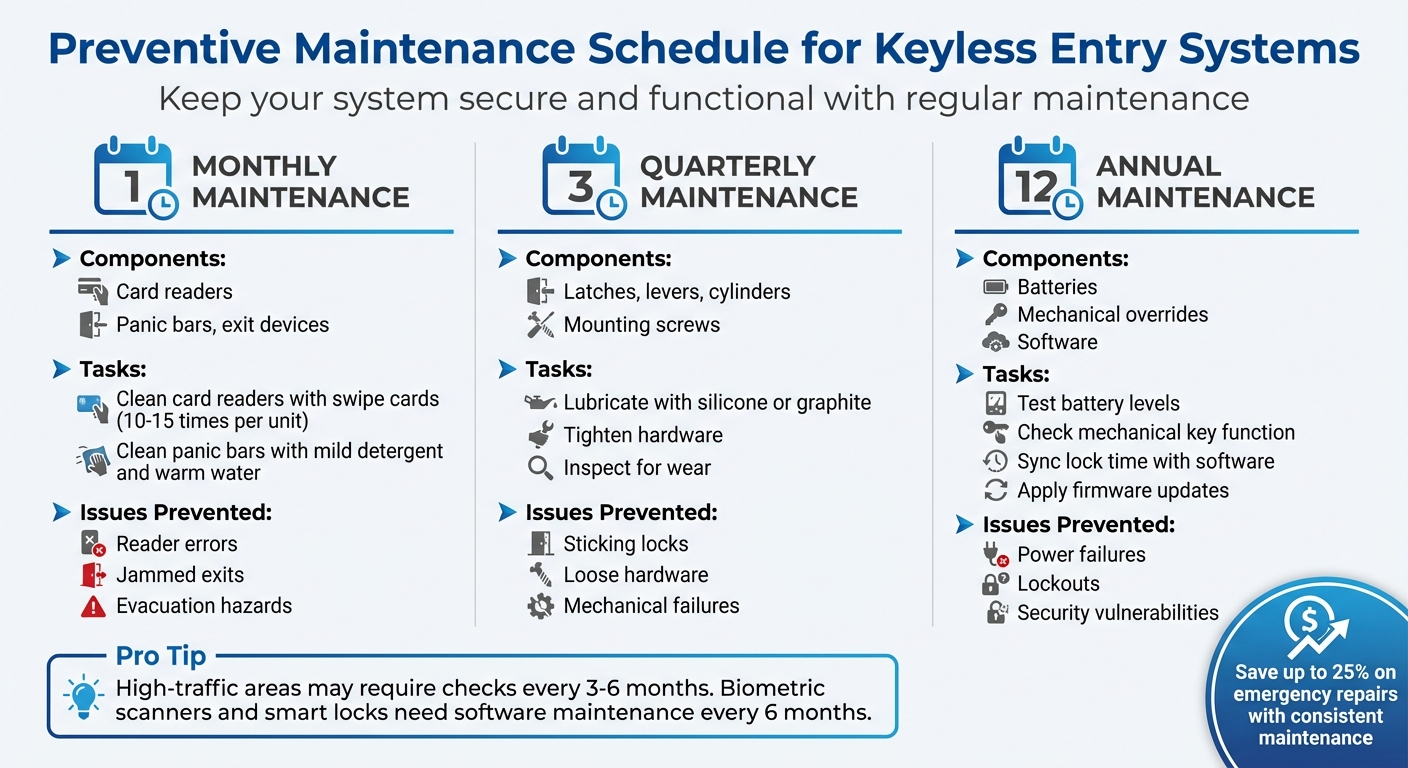
Commercial Keyless Entry Maintenance Schedule: Monthly, Quarterly & Annual Tasks
Having a structured maintenance schedule in place helps stop minor issues from turning into expensive repairs or potential security risks.
The frequency of maintenance depends on how much the equipment is used. For example, high-traffic areas might need checks every three to six months, while low-traffic zones could get by with annual inspections. Experts stress that regularly maintaining commercial door hardware is essential to ensure it functions properly, stays compliant with regulations, and keeps up with evolving technology.
Sticking to a thorough maintenance plan can cut costs by up to 25% by reducing emergency repairs and extending the life of your hardware. The secret to success? Consistency. A routine schedule ensures nothing is overlooked. Below is a breakdown of monthly, quarterly, and annual maintenance tasks.
Monthly, Quarterly, and Annual Tasks Compared
Different components require attention at different intervals. Here’s a maintenance calendar to guide you:
| Frequency | Components Checked | Tasks Performed | Issues Prevented |
|---|---|---|---|
| Monthly | Card readers, panic bars, exit devices | Swipe cleaning cards (10–15 times per unit); clean panic bars with mild detergent and warm water | Reader errors, jammed exits, evacuation hazards |
| Quarterly | Latches, levers, cylinders, mounting screws | Lubricate with silicone or graphite; tighten hardware; inspect for wear | Sticking locks, loose hardware, mechanical failures |
| Annual | Batteries, mechanical overrides, software | Test battery levels; check mechanical key function; sync lock time with software; apply firmware updates | Power failures, lockouts, security vulnerabilities |
After replacing batteries, always re-initialize the lock and reset the internal clock to keep it synced with your management software. This ensures accurate audit trails for tracking access. For advanced systems like biometric scanners or smart locks, plan to maintain the software every six months, even if physical hardware checks are done only once a year.
When to Upgrade or Replace Your System
If routine maintenance no longer solves recurring problems, it might be time to think about upgrading your system. Recognizing the early signs of trouble allows you to plan ahead, avoiding the chaos of a complete system failure.
Signs Your System Needs an Upgrade
Experiencing frequent access denials or lock failures? These could be clear signs that your hardware is reaching the end of its lifespan. Such issues not only create security risks but also disrupt daily operations, frustrating your team.
Another red flag is the lack of manufacturer support. If your system no longer receives technical assistance or software updates, it becomes harder to maintain and increasingly vulnerable to unpatched security vulnerabilities. Additionally, when replacement parts are scarce, upgrading becomes a more practical and cost-effective option.
Older systems often struggle to integrate with modern technology. If your current setup can’t connect with advanced tools like video surveillance, cloud-based management, or encryption technologies, it could be weakening your overall security. Systems limited to physical cards or fobs, without support for mobile credentials or biometrics, fail to take advantage of the convenience and added security that mobile technology offers – something nearly all U.S. smartphone users can access.
Business growth can also outpace an outdated system’s capabilities. For example, if you’re hiring frequently and your system lacks features like remote onboarding or offboarding, the additional manual work can become overwhelming. In such cases, an upgrade isn’t just helpful – it’s necessary.
Addressing these issues promptly ensures your business stays secure and efficient. Once you spot these warning signs, it’s time to explore a replacement system that aligns with your evolving needs.
Choosing the Right Replacement System
Start by assessing your property’s specific needs. High-traffic areas might require durable hardware like mortise locks or motorized latch retraction, while glass doors may need specialized magnetic locks. You’ll also need to decide between fail-safe locks, which unlock during power outages for emergency exits, and fail-secure locks, which remain locked without power to protect exterior access points.
Remote management is now a must-have feature. Cloud-based systems let you issue or revoke access credentials instantly, view real-time audit trails, and even unlock doors remotely for deliveries. This level of flexibility is particularly useful for businesses with multiple locations or high employee turnover.
Consider systems that support a variety of credential types, such as PIN codes, RFID cards, mobile apps, and biometrics. This versatility allows you to assign access methods based on user roles, like permanent staff versus temporary contractors. For areas requiring higher security, opt for systems that offer multi-factor authentication, combining two or more access methods.
To manage costs, look for providers offering migration options that reuse existing wiring or hardware, which can significantly lower installation expenses. A professional retrofit audit can help you adapt your current setup while ensuring compatibility with the new system. Additionally, make sure the system includes mechanical key overrides and offline functionality to prevent lockouts during internet outages or technical failures.
Lastly, verify that your new system meets ANSI/BHMA durability standards and complies with local fire and building codes. For a seamless security setup, ensure it integrates with existing systems like CCTV and fire alarms, creating a unified and efficient security network.
Conclusion
Keeping a keyless entry system in good shape doesn’t have to be complicated. Simple daily tasks, like cleaning touchscreens and keypads with a mild detergent, can stop grime from building up and making buttons unresponsive. Every three months, applying a silicone or graphite-based lubricant (never petroleum jelly) ensures mechanical parts stay smooth. And swapping out batteries annually helps prevent corrosion that could damage the lock mechanism.
"Proper upkeep not only prolongs system life but also enhances safety."
- Sherlock’s Locksmith
Maintenance isn’t just about the physical components – it’s also about staying on top of the software. Regular updates help close any security gaps, and routine access audits ensure only the right people have entry. These small actions go a long way in safeguarding your system and stopping minor issues from turning into major headaches. They also prepare the system for more thorough, professional evaluations when needed.
While daily and quarterly tasks can be managed internally, professional inspections every few months are essential for spotting more complex problems. Issues like stuck bolts, misaligned hardware, or faulty door closers often require expert attention to prevent further damage or even code violations.
FAQs
How often should I have my commercial keyless entry system inspected by a professional?
For the best performance and safety, make it a habit to schedule professional inspections according to how often the system is used. High-traffic entry points should be checked every month, standard interior doors every three months, and low-traffic or secondary entrances once a year. Staying on top of regular maintenance allows you to catch potential problems early and keeps your system running smoothly over time.
How can I tell if my commercial keyless entry system needs an upgrade?
If your keyless entry system is showing signs of wear or inefficiency, it might be time to consider an upgrade. Common indicators include frequent delays when accessing doors, locks that malfunction, or security features that no longer meet modern standards. You might also notice an increasing need to issue new credentials for staff, persistent low-battery alerts, or even physical damage to the hardware. Keeping your system updated ensures your business remains secure and operates smoothly.
Why is it important to keep keyless entry systems updated?
Keeping your keyless entry system current is crucial for safeguarding security, ensuring smooth operation, and maintaining reliability. Regular software updates play a key role by patching vulnerabilities, fixing bugs, and keeping the system compatible with newer technologies.
Updating your system minimizes the chances of unauthorized access while ensuring it runs efficiently – helping protect your business and offering peace of mind.