






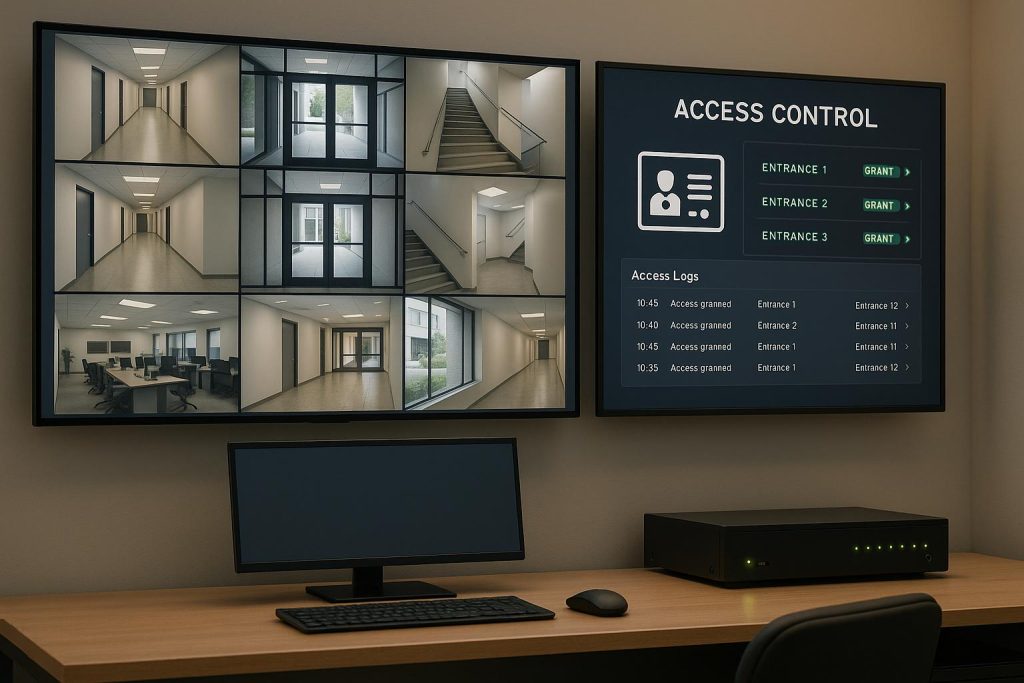
Want a smarter way to secure your business? Combining access control and video surveillance connects who enters your space with real-time footage, all in one system. Here’s why it matters:
- Access control manages entry using cards, biometrics, or mobile credentials.
- Video surveillance records activity with IP cameras and stores it for review.
- Integration links the two, so every door event (like card swipes or denied entries) is matched with video, simplifying monitoring and incident reviews.
This setup saves time, cuts costs by reducing duplicate equipment, and ensures faster responses to security issues. Whether you’re protecting offices, retail stores, or warehouses, integrated systems provide better oversight and compliance with regulations.
How to start? Assess your current systems, identify key areas to secure, and choose compatible hardware like IP cameras and encrypted door controllers. A local expert can help design and install a system tailored to your needs.
Keep reading for a step-by-step guide to building an integrated security solution.
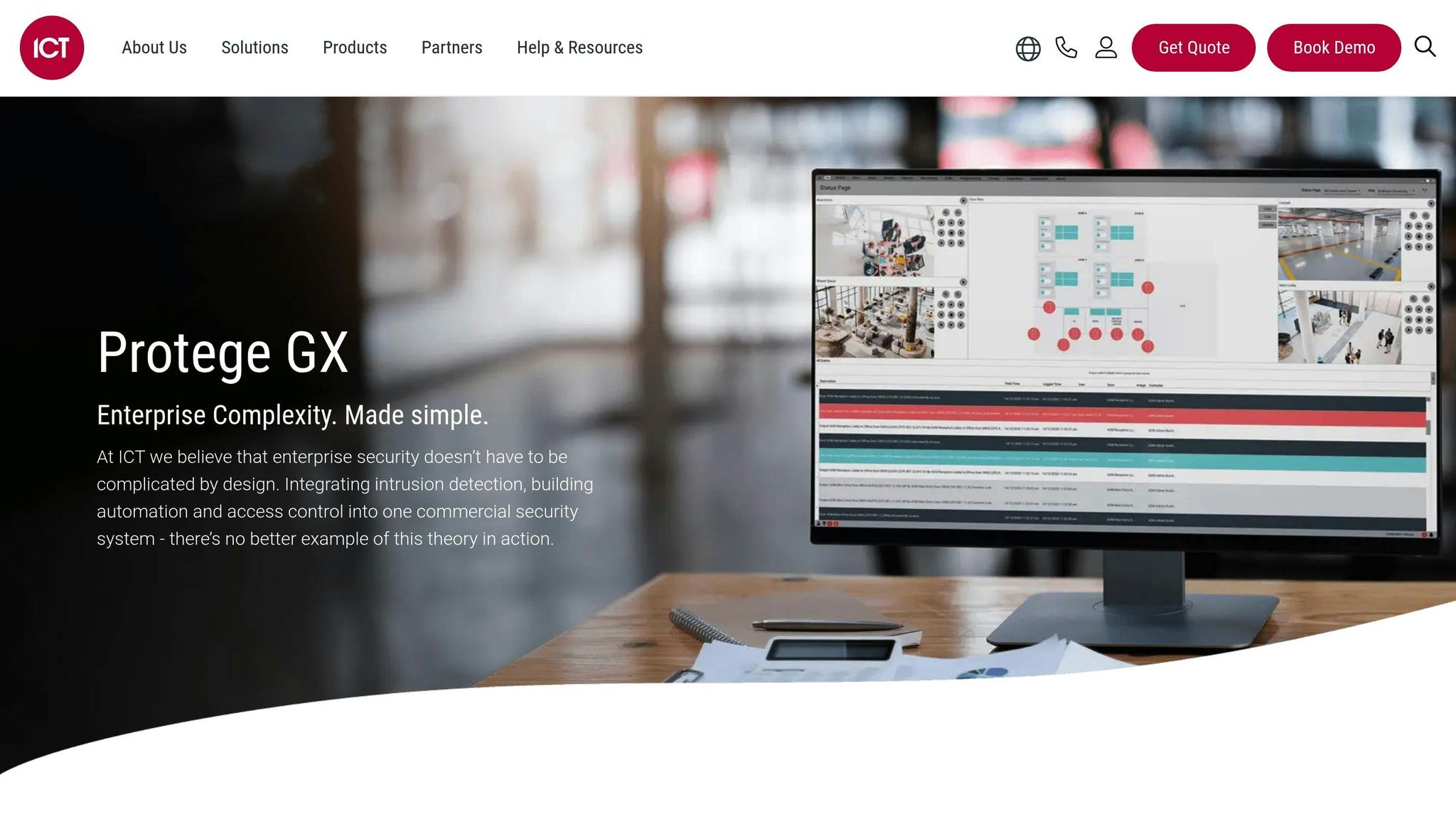
How to Integrate Video Surveillance Management Software Platforms with ICT Protege GX
Planning an Integrated Security System
Before diving into hardware purchases, take the time to document your security needs. Start by identifying and ranking every physical asset that requires protection based on its potential impact. Use a detailed floor plan to walk through your facility and mark all access points, including main entrances, side doors, loading docks, stairwells, roof access, and emergency exits. This walkthrough helps uncover vulnerabilities like doors left propped open, blind spots in your current camera coverage, or unsecured delivery areas that could serve as entry points for theft or unauthorized access. This initial mapping is the foundation for all future decisions.
Set clear security objectives that align with your operational needs. Are you aiming to prevent after-hours break-ins, comply with audit requirements for sensitive data, or control contractor access to specific areas? Review your incident history to spot patterns, such as thefts, tailgating, or forced-door alarms. If your business deals with payment card data (PCI-DSS), health records (HIPAA), or financial reporting (SOX), make sure to document the logging, video retention, and audit capabilities required by those regulations. For instance, many U.S. businesses need to retain video footage for 30 to 90 days, while stricter industries often require even longer retention periods.
Conducting a Security Needs Assessment
A comprehensive assessment of your current systems and IT infrastructure is key before designing an integrated solution. Start by cataloging your existing locks, badge systems, cameras, and network recorders. Classify each access point based on its risk level, noting the age and condition of the equipment. Also, evaluate your network’s capacity, cabling, and Power over Ethernet (PoE) availability, as adding high-definition cameras can strain older infrastructure. Involve stakeholders from IT, security, facilities, and compliance early in the process to ensure that factors like cybersecurity policies, uptime requirements, and regulatory obligations are addressed from the start – not as last-minute additions.
When classifying access points, consider the following:
- High-risk areas (e.g., server rooms, cash-counting areas, pharmacies): These require controlled access methods like badges, PINs, or biometrics, along with dedicated cameras tied to access events.
- Medium-risk areas (e.g., main office entries, storage rooms): Standard badge readers and overlapping camera views are typically sufficient.
- Low-risk areas (e.g., public lobbies): General monitoring with cameras may suffice.
For high-traffic zones, integrate badge readers with cameras to monitor tailgating or unauthorized credential sharing. Restricted areas containing personally identifiable information or HR files often need two-factor authentication, stricter schedules, and extended video retention for audits and investigations. This assessment lays the groundwork for detailed mapping and technology selection.
Mapping Entry Points and Camera Coverage
For each door or gate, document its location, the direction it swings, typical traffic (employees, visitors, contractors), and hours of use. Note the type of credentials required (e.g., cards, fobs, mobile credentials, PINs, or biometrics) and the events you’ll need to log, such as forced doors, held-open doors, or access denials. On your floor plan, use symbols to mark controlled doors and cameras, and draw camera fields of view as cones. Ensure every controlled door has at least one overlapping camera that captures both the approach and the door itself.
A best practice for key entrances is to use a two-camera setup: one wide-angle camera for overall context and another higher-resolution camera focused on faces at the access reader. For stairwells and side exits, position cameras to capture both the door and the surrounding travel paths to track movement in and out of the area. Consider lighting conditions, such as day/night cycles and potential backlighting from windows, and ensure cameras are positioned to capture critical actions like badge presentations or door openings. With this detailed mapping complete, you can select technology that matches your needs.
Selecting Compatible Technologies
When choosing hardware, prioritize interoperable, open-standard devices. For video surveillance, opt for ONVIF-compliant IP cameras, which ensure compatibility with third-party video management systems (VMS) and access control platforms. For access control, select hardware that supports OSDP (Open Supervised Device Protocol) instead of outdated Wiegand systems. OSDP provides encrypted, two-way communication and better tamper detection, making it a more secure and reliable choice.
On the software side, confirm that your access control system integrates seamlessly with your VMS – either natively or through documented APIs or middleware. Both systems should support event linking, so actions like "door forced" automatically trigger video bookmarks. U.S. businesses should also ensure compliance with UL listings, local building and fire codes, and support for U.S.-specific formats, such as imperial measurements and time zones. When in doubt, consult vendors’ integration guides or request validated device lists to avoid compatibility issues.
Engaging local security professionals can simplify the process. These experts can translate your goals into practical hardware choices and ensure installations meet code requirements. For example, in Pittsburgh, PA, Sherlock’s Locksmith offers services ranging from lock selection and rekeying to full security system installations. With 24/7 mobile service, they handle on-site challenges like retrofitting older doors or fixing alignment issues that could affect performance. Bringing in experienced integrators early can prevent costly mistakes, ensuring that cameras, readers, and other components are positioned correctly and comply with U.S. regulations.
Core Components and Tools for Integration
Once the assessment is complete, the next step is to implement the essential components needed to integrate access control with video surveillance.
Key Access Control Components
At the heart of any integrated security system are electronic or magnetic door locks that can be remotely managed. These locks work in tandem with credential readers, which can accept keycards, PIN codes, mobile credentials (via Bluetooth or NFC), or even biometric data like fingerprints, iris scans, or facial recognition. Each credential reader connects to an IP-based door controller or control panel, which handles authentication and logs events. Additional devices, like request-to-exit sensors (motion detectors or push buttons) and door position sensors, monitor door activity, such as forced entries or doors left ajar.
To integrate access control with video surveillance effectively, IP-based controllers are crucial. These controllers share real-time event data – such as access granted, denied, or alarms triggered – over the network, feeding this information to the video management system (VMS). Credential readers provide timestamps and identity details, with biometric and mobile readers adding extra layers of verified data. This metadata is then linked to video clips, allowing operators to quickly confirm who accessed a door and when. The access control management software acts as the central hub, storing user identities, permissions, and event logs, all of which are synced with camera footage for a cohesive view.
Key Video Surveillance Components
For video surveillance, ONVIF-compliant IP cameras are a must. These cameras should offer at least 1080p resolution, wide dynamic range (WDR), and strong low-light capabilities to capture clear images of faces and credentials in varying lighting conditions. The video feeds are managed by network video recorders (NVRs) or video servers, which handle simultaneous recording and event tagging. Reliable storage solutions – whether local hard drives, NAS, or cloud-based – are essential, with retention periods typically ranging from 30 to 90 days, depending on industry requirements.
The video management software (VMS) ties everything together by merging camera feeds with access control data into a single interface. Features like event-based recording, overlays showing access details (e.g., user name, credential type, door location, and time), and search capabilities make it easier to investigate incidents. For example, when a door-forced alarm is triggered, the VMS can automatically display the relevant camera footage and bookmark the event. Look for VMS options that integrate seamlessly with your access control system, support mobile viewing, and enable automated workflows to simplify security operations.
Integration Platforms and Supporting Tools
Integration is achieved using unified security platforms that combine access control and video from the same vendor, middleware or integration servers that link different systems, or open-API-based integrations where VMS and access control software communicate directly using protocols like REST, JSON, or SOAP. These platforms synchronize access events with video footage, creating a unified interface that enhances real-time monitoring and investigative efficiency. Advanced solutions may also incorporate intrusion alarms and video analytics to provide a comprehensive view of activity in and around secured areas.
The physical setup requires Power over Ethernet (PoE) switches, which deliver both power and data to devices like IP cameras, door controllers, and smart readers via a single Cat5e or Cat6 cable. Properly labeled structured cabling simplifies troubleshooting and upgrades. To ensure smooth performance, set up separate or logically segmented VLANs for security devices, apply quality-of-service (QoS) rules to prioritize video and access control traffic, and ensure bandwidth capacity can handle peak loads. Reliable power sources are also critical, including uninterruptible power supplies (UPS) for network equipment and recording devices, as well as secure enclosures to protect hardware from tampering.
A typical setup for a small-to-medium business in the U.S. might include electronic locks on exterior doors, badge readers connected to door controllers via Cat6 cabling, an IP camera for each controlled door, an NVR or video server paired with access control software, PoE switches, and UPS units in a network closet. Integrated software ensures that every door event automatically pulls up the corresponding camera view. Local security professionals – like Sherlock’s Locksmith in Pittsburgh, PA – can assist with hardware installation, ensure compliance with building codes, and coordinate with IT teams to configure the network and software. Before making any purchases, confirm that your access control and VMS vendors are compatible, support open standards like ONVIF and APIs, and consult with an experienced integrator to ensure all components work together seamlessly. This approach simplifies management and keeps the system reliable with regular maintenance.
sbb-itb-643e28e
Step-by-Step Guide to Combining Access Control and Video Surveillance
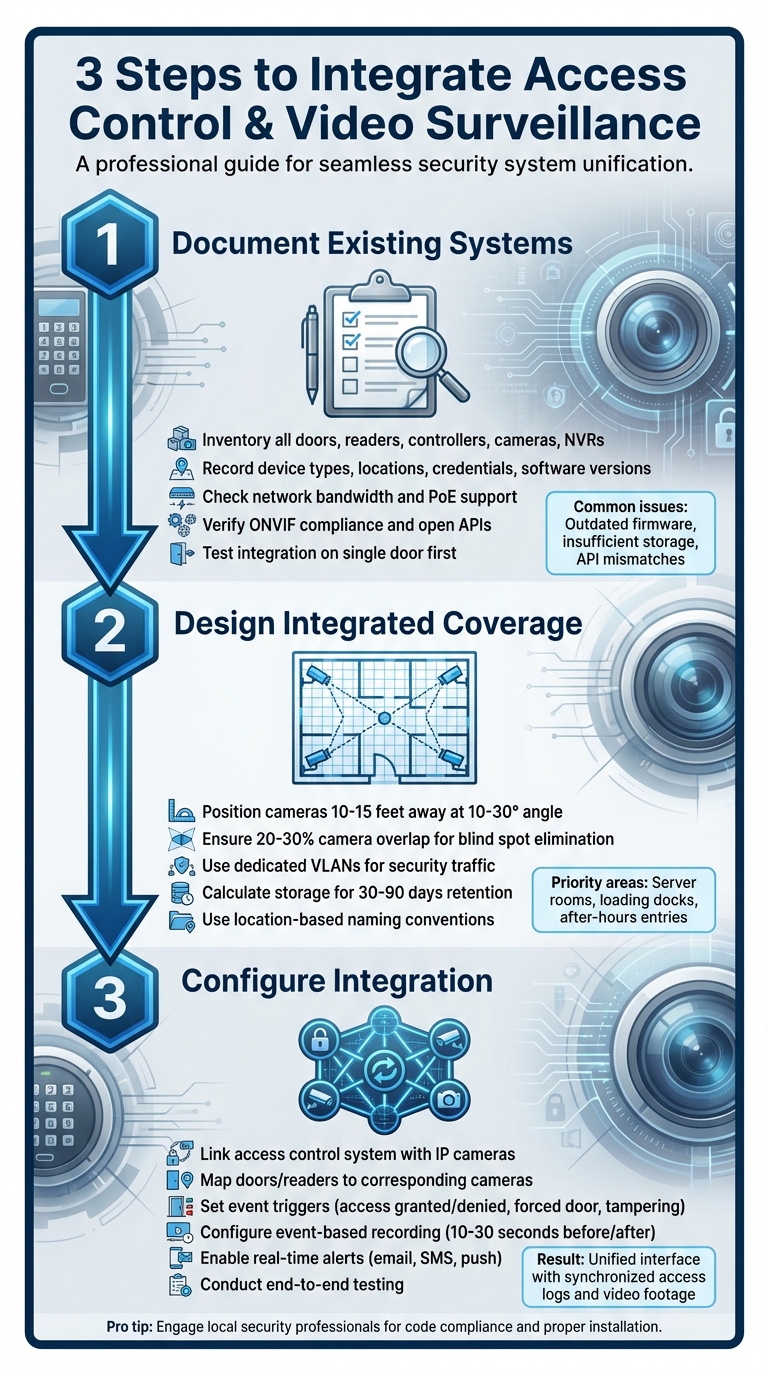
Step-by-Step Guide to Integrating Access Control and Video Surveillance Systems
Documenting Existing Systems
Start by creating a detailed inventory of all your current devices before attempting any integration. This means listing every door, card reader, controller, panel, camera, NVR, and server. Use a spreadsheet to record key details like the type, location, credential format, and software version for each device. This documentation is crucial for spotting potential compatibility issues early on. For instance, outdated firmware might lead to API mismatches, which can disrupt communication between systems.
Next, evaluate your network setup to ensure it can handle the workload. Check for adequate bandwidth and Power over Ethernet (PoE) support. Verify that your cameras meet ONVIF standards and that your controllers offer open APIs or SDKs. Common challenges include insufficient video storage and outdated software that can’t handle modern integration protocols. To minimize surprises, test the integration on a single door first. If you’re in Pittsburgh, local experts like Sherlock’s Locksmith can help assess system readiness.
Designing Integrated Coverage
Once you’ve documented your devices, plan your camera placement to ensure they cover all entry points effectively. Position cameras to capture both the credential reader and the door itself. Ideally, mount cameras 10–15 feet away at a 10–30° angle to clearly record faces and badge activity. For high-traffic areas, aim for 20–30% overlap between cameras to eliminate blind spots. Focus on securing high-risk areas like server rooms, loading docks, and entry points used after hours.
Careful network planning is equally important. Use dedicated VLANs to segment security traffic and make sure your PoE switches comply with 802.3at standards. Calculate storage needs to cover 30–90 days of continuous or event-triggered recordings. To simplify monitoring, assign consistent, location-based names to doors and cameras, making logs and maps easier to navigate.
Configuring Integration Between Systems
With your coverage plan in place, the next step is to integrate the system components for seamless operation. Use a unified security platform that links your access control system with IP cameras. Map each door and reader to the corresponding cameras, and set up event triggers for actions like access granted, access denied, forced door openings, held-open doors, and panel tampering. Configure event-based recording to capture 10–30 seconds of footage before and after each trigger. Bookmark and flag these clips for easy access later.
Set up real-time alerts – via email, SMS, or push notifications – for critical events. Enable search features that allow operators to quickly find footage based on cardholder names, door locations, or specific dates and times. Conduct end-to-end tests using sample badges and simulated events to ensure everything works as intended. Confirm that doors operate correctly, event footage matches the associated metadata, and alerts are delivered promptly. Finally, train your team on how to use the unified interface and respond to incidents effectively.
Best Practices and Maintenance for Integrated Systems
Operational Best Practices
To keep your integrated access control and video surveillance systems running smoothly, it’s crucial to follow clear operational protocols, prioritize data security, and stick to a regular maintenance schedule. One key practice is implementing Role-Based Access Control (RBAC). This ensures employees only have access to the specific doors, cameras, and software functions they need. For instance, a receptionist might only manage lobby doors and view lobby cameras, while security personnel could have more extensive access and the ability to override controls during emergencies. RBAC not only minimizes internal risks but also simplifies audits. Additionally, always revoke credentials immediately when an employee leaves the organization to maintain security integrity.
Standardizing device names and syncing all equipment with an NTP server is another essential step. This ensures that timestamps for access events and video clips are perfectly aligned, which is critical for accurate recordkeeping and investigations. These operational measures create a solid foundation for both security and system upkeep.
Data Security and Privacy Considerations
Protecting your integrated system starts with placing it on a secured network segment or VLAN. Use firewalls to control traffic between security devices and other corporate systems. Replace default passwords with strong, unique ones, enable Multi-Factor Authentication (MFA) for remote access, and keep firmware and software up to date to address vulnerabilities.
When it comes to video access, follow the "least privilege" principle. This means granting users only the views and time ranges they need for their role. Collaborate with HR and legal teams to establish clear guidelines on who can view, retain, or export video footage, as well as how incidents are investigated. These steps not only safeguard your system but also ensure compliance with privacy standards.
Scheduling Maintenance and Upgrades
A proactive maintenance plan is key to keeping your system reliable over time. Use your documented system inventory to guide regular reviews and plan for upgrades. Here’s a suggested schedule:
- Monthly: Perform system health checks.
- Quarterly: Inspect physical components, such as cleaning camera lenses, verifying camera views, checking door hardware, and testing fail-safe mechanisms.
- Annually: Review user access permissions and assess hardware performance.
Schedule updates during planned maintenance windows, and always have a rollback plan in case something goes wrong. Most hardware has a lifespan of 5–7 years, so plan replacements based on factors like vendor support timelines, evolving security needs, and potential benefits from newer features like improved low-light performance or advanced analytics.
For businesses in Pittsburgh, PA, Sherlock’s Locksmith provides 24/7 mobile services to support integrated systems. Whether it’s installing or maintaining commercial locks and door hardware, they ensure doors and strikes work seamlessly with electronic controllers. Their prompt service helps minimize disruptions and keeps your system running reliably.
Conclusion
Bringing access control and video surveillance together creates a seamless security system that simplifies real-time monitoring and speeds up responses to incidents. By linking door actions – like card swipes or lock/unlock events – with corresponding video footage, you save time by avoiding the hassle of manually matching logs to recordings. Instead, your team gets access to both access logs and live video feeds in one unified interface. This combination not only strengthens security but also improves efficiency, cuts down on false alarms, and ensures compliance with streamlined recordkeeping – all from a single platform.
Getting started with this integration requires a thorough security assessment and the use of open-standard components. Implementing practices like role-based access controls and regular system maintenance helps ensure your setup remains secure and efficient over time.
If you’re in Pittsburgh, Sherlock’s Locksmith offers the expertise to make this integration a reality. They provide end-to-end security solutions, including 24/7 mobile support for installation, maintenance, and emergency assistance.
Whether you’re upgrading your current system or building a new one, Sherlock’s Locksmith can help you achieve a fully integrated security solution. Reach out today to explore how they can help you create a smarter, safer business environment.
FAQs
How can I make sure my access control system works seamlessly with my video surveillance setup?
When setting up security systems, it’s crucial to choose options that support open standards such as ONVIF for video surveillance and Wiegand or OSDP for access control. These standards ensure that devices from different manufacturers can work together seamlessly. To make the process even smoother, consider consulting a professional locksmith. They can verify compatibility, manage configurations, and ensure your system is installed correctly. With the guidance of an expert, you can sidestep potential issues and get the most out of your security setup.
What are the benefits of combining access control with video surveillance for my business?
Combining access control with video surveillance can greatly benefit your business. It strengthens security by enabling real-time monitoring of entry points and creating detailed access logs. This setup promotes accountability, speeds up incident responses, and helps create a safer workplace for both employees and customers.
On top of that, it simplifies operations by uniting security systems into one manageable platform. This makes it easier to oversee access points while reducing the chances of unauthorized entry. The result? Enhanced safety paired with improved operational efficiency.
What can I do to keep my access control and video surveillance system secure and running smoothly?
To keep your integrated access control and video surveillance system secure and running smoothly, here are some essential steps to follow:
- Update firmware and software regularly: This helps close any security gaps that could be exploited.
- Use strong and unique passwords, and make sure to update them on a routine basis.
- Enable encryption to protect sensitive data and video streams from unauthorized access.
- Perform regular system audits to spot and fix any vulnerabilities or performance issues.
- Actively monitor live footage and review access logs to catch any unusual or suspicious activity.
Taking these steps can help you maintain a secure and reliable system, ensuring your business stays protected.