





Managing temporary visitor access is all about balancing security with convenience. Modern access control systems streamline this process by using digital and physical credentials like QR codes, PINs, and keycards. These tools ensure visitors can only access authorized areas for a set time, reducing risks and improving oversight.
Key steps include:
- Pre-registration: Collect visitor details and screen for risks before arrival.
- Credential setup: Issue time-limited digital or physical access keys tailored to visitor needs.
- Real-time tracking: Monitor visitor activity with dashboards and audit logs.
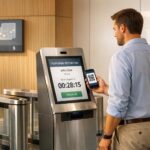
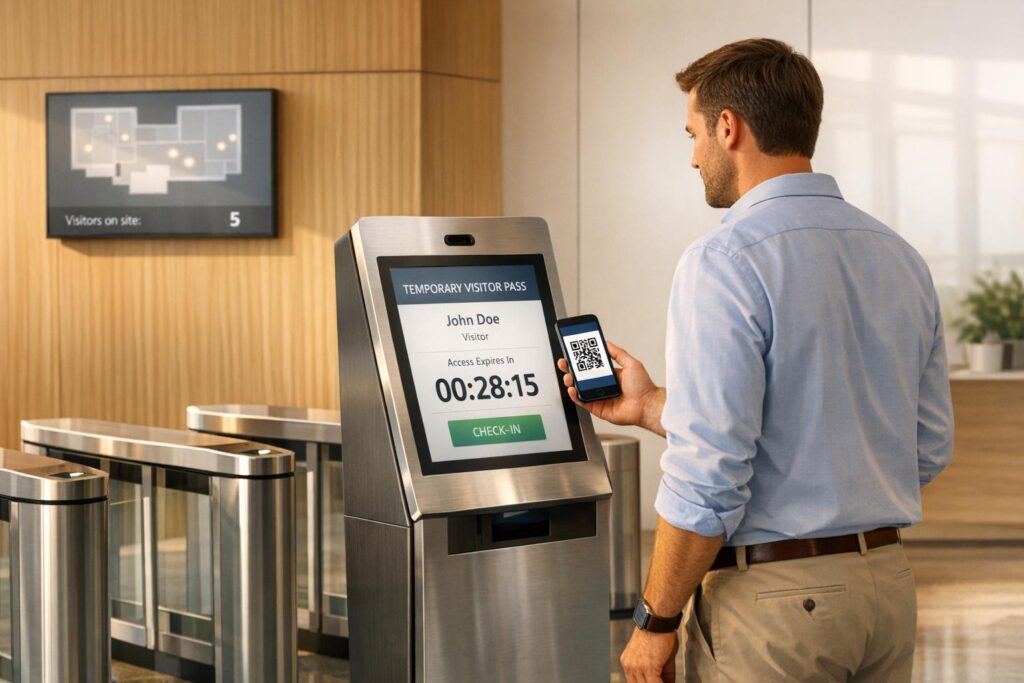
- Check-in systems: Use self-service kiosks for fast, secure visitor check-ins.
- Access revocation: Automatically or manually deactivate credentials after visits.
For businesses, integrating visitor management with access control systems ensures better compliance, security, and operational efficiency. Learn how to implement these practices effectively to protect your facility while ensuring a smooth visitor experience.
How Does a Visitor Management System (VMS) Work?
sbb-itb-643e28e
Planning Your Visitor Access Control System
Creating an effective visitor access control system requires careful planning. A well-thought-out system identifies visitor details, their purpose, and any associated risks, balancing tight security with a smooth guest experience. This phase is key to ensuring your security goals align with visitor convenience.
Pre-Registration and Visitor Screening
Pre-registration shifts much of the screening process to before the visitor arrives. This involves collecting essential information such as names, contact details, photo IDs, and any necessary legal documents – like NDAs or safety waivers – before their visit.
"A visitor management strategy is a documented, enforced system for controlling who enters your facility, where they can go, how long they can stay, and what visitor records you retain after they leave." – Anish Devasia, Security Systems Expert, Safe and Sound Security
Pre-screening also enables you to cross-check visitors against internal watchlists or compliance databases. For schools, this might mean checking sex offender registries, while defense contractors may need to screen for foreign nationals under ITAR rules. This process helps flag potential issues early.
Once pre-registration determines a visitor’s eligibility, the next step is assessing the specific risks posed by different visitor types.
Risk Assessment for Different Visitor Types
Not all visitors pose the same level of risk. For instance, a delivery driver might only need access to the loading dock, while an IT contractor may require entry to multiple areas for an extended period. Recurring vendors, like HVAC technicians, often fall in between and may need background checks and regular credential updates.
A real-world example highlights the importance of proper risk evaluation: In October 2024, defense contractor RTX (formerly Raytheon) settled a $950 million case with the U.S. government. The violations stemmed from inadequate access controls and failures to screen foreign nationals under ITAR regulations. This underscores how poor access control can lead to severe consequences.
Your risk assessment should also pinpoint sensitive areas in your facility – places that might attract criminal activity, compromise privacy, or pose physical risks to visitors. Examples include data centers, labs, patient records rooms, and manufacturing floors.
| Visitor Type | Risk Profile | Access |
|---|---|---|
| Business guests/clients | Low | Lobby, conference rooms |
| Contractors | Medium–High | Work zones, mechanical rooms |
| Delivery personnel | Low–Medium | Loading dock, mailroom |
| Vendors (recurring) | Medium | Designated service areas |
| Job candidates | Low | Reception, conference rooms |
Creating Access Policies and Approval Processes
Once you’ve categorized visitors and assessed risks, it’s time to develop clear policies. These should define who can approve access, which areas are restricted, and when escorts are required. Hosts should also take responsibility for their guests while they’re on-site [8, 13].
Your policies should include approval hierarchies, specific access restrictions, and escort requirements for high-risk zones. For example, who approves a contractor’s access to a mechanical room? Can a delivery driver’s access be handled by the front desk, or does it require managerial sign-off?
Another key aspect is the "challenge principle", which trains employees to politely question anyone without a visible, valid visitor badge [8, 13].
"Tailgating is the #1 access control problem, cited by 61% of organizations (ASIS International, 2023). No sign-in software stops it on its own." – ASIS International
Integrate your Visitor Management System (VMS) with your physical access controls. When a visitor is approved, the system can automatically issue time-limited credentials for specific areas. This reduces human error and ensures permissions match your policies. Using color-coded badges or other visual markers can also help staff quickly identify a visitor’s access level and type [7, 11].
Setting Up Temporary Access Credentials
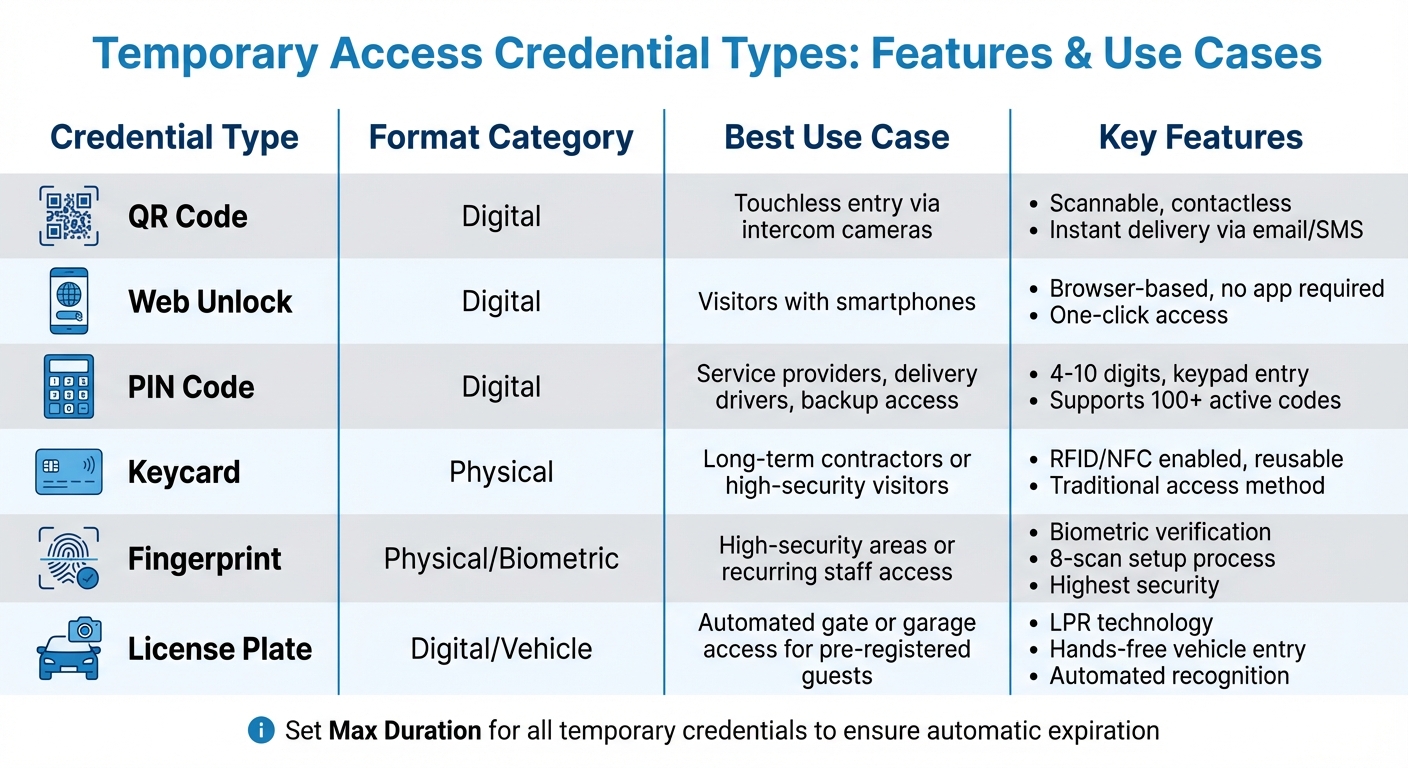
Visitor Access Control Credential Types Comparison Guide
Once you’ve outlined your access policies, the next step is putting those policies into action by issuing credentials. These credentials are designed to match each visitor’s approved access levels. Modern systems offer a mix of digital and physical options, catering to various visitor scenarios and security demands.
Digital and Physical Access Options
Digital credentials are the go-to choice for most temporary visitors due to their speed, ease of use, and traceability. For example, QR codes can be scanned by intercom cameras or specialized readers, enabling touchless entry. Visitors can also receive a web unlock link via email or text, allowing them to access a door directly through a smartphone browser – no app required.
Another practical option is PIN codes. These unique 4- to 10-digit codes can be entered on keypads or intercom panels and support multiple active credentials at once. For vehicle entry, license plate recognition (LPR) integrates the visitor’s license plate into the access system, enabling automatic entry through gates or garages.
Physical credentials remain relevant, especially for long-term contractors or areas requiring heightened security. Biometric fingerprint registration, for instance, adds an additional layer of verification. This process typically involves scanning a finger multiple times – often eight times during setup – to ensure accuracy.
"A Visit Key is a temporary, shareable credential that allows guests to unlock an intercom door without placing a call." – Verkada Help
Credential distribution is streamlined through automated delivery systems. Encrypted credentials can be sent via email or SMS immediately upon registration or at a scheduled time. The actual PIN or QR code remains hidden from administrative staff, minimizing the risk of internal misuse. Some systems also offer one-time digital keys that expire five minutes after their first use, preventing unauthorized sharing.
For added security, some setups require visitors to check in at a self-service kiosk before their credentials are activated, providing an extra layer of verification. From there, you can customize credentials to fit each visitor’s specific access needs.
Configuring Access Levels for Different Needs
Fine-tuned controls let you limit credentials to particular doors, floors, or intercoms based on what each visitor requires. For instance, a delivery driver’s PIN could be restricted to the loading dock, while a contractor’s keycard might only grant access to designated work areas.
Time-based restrictions add another level of precision. You can set access for specific days or define daily time windows – for example, a recurring PIN that works only on Tuesdays from 10:00 AM to 12:00 PM. Credentials can be set as "One-Time Use", expiring shortly after their first use, or "Multi-Use", which allows access over a set period.
Linking temporary credentials to individual visitor profiles, rather than using generic data, ensures audit logs accurately reflect who accessed which areas. This approach makes security reviews more effective. For recurring vendors like HVAC technicians or maintenance teams, you can configure recurring codes to activate automatically during their scheduled service times, eliminating the need for manual updates.
| Credential Type | Format | Best Use Case |
|---|---|---|
| QR Code | Digital | Touchless entry via intercom cameras |
| Web Unlock | Digital | Visitors with smartphones |
| PIN Code | Digital | Service providers, delivery drivers, or backup access |
| Keycard | Physical | Long-term contractors or high-security visitors |
| Fingerprint | Physical/Biometric | High-security areas or recurring staff access |
| License Plate | Digital/Vehicle | Automated gate or garage access for pre-registered guests |
To ensure security, it’s smart to set a "Max Duration" for all temporary credentials. This way, access is automatically revoked once the visit ends, eliminating the need for manual follow-up.
Whether you prefer digital or physical credentials, managing temporary access effectively is essential for maintaining a secure environment. If you’re in the Pittsburgh area and need expert guidance on visitor access management, check out Sherlock’s Locksmith. Their local expertise can help you design a system tailored to your security requirements.
Visitor Check-In and Access Procedures
Once temporary credentials are issued, the next step is setting up a smooth and secure check-in process. This involves combining self-service options with automated alerts to ensure quick and efficient access.
Self-Service Kiosks and Host Notifications
Self-service kiosks, often tablet-based, let visitors manage their own check-in without needing assistance from front-desk staff. Visitors can input their details, scan an ID like a driver’s license, and even take a photo for instant badge creation. These systems can also cross-check visitor identities against watchlists or banned individual databases, adding an extra layer of security before granting access.
For those who register online in advance, the process is even faster. Visitors receive a QR code via email or text, which they can scan at the kiosk for a contactless check-in experience that takes about 30 seconds – much faster than the typical 5-minute manual process. During check-in, kiosks can also prompt visitors to electronically sign NDAs, safety protocols, or health forms, ensuring all compliance requirements are met.
"A visitor check-in kiosk is more than just a sign-in station – it’s the focal point of any visitor management strategy." – Giulianno Lopez, Content Marketing Manager, Envoy
Once check-in is complete, the system sends instant notifications to the host through SMS, email, Slack, or Microsoft Teams. For example, Bunge North America upgraded from paper logs to digital check-ins across multiple locations, streamlining the process and improving security by automating verification and alerts to hosts.
While hardware and software costs depend on the system’s scale and features, integrating check-in kiosks with a Visitor Management System (VMS) can further automate credential management.
Integration with Visitor Management Systems
Modern visitor management systems seamlessly connect with physical access control platforms like HID, Honeywell, or Lenel, enabling automatic credential issuance during check-in. Once visitors register at the kiosk, they can receive temporary access credentials, such as an RFID card, a Bluetooth-enabled mobile pass, or a "swipe-to-unlock" link sent directly to their smartphone.
These time-sensitive credentials automatically expire when the visit ends. For medium-term visitors like contractors or consultants, Bluetooth or NFC-based smartphone access not only simplifies entry but also allows for remote revocation, eliminating the need for master key systems or managing physical keycards. Some systems even integrate with Google Calendar, sending mobile access links in meeting invites so visitors are ready before they arrive.
The system also prints customized badges during check-in, displaying key details like the visitor’s photo, name, host, and badge expiration. Color-coded badges help security teams quickly identify access levels for different visitor types.
Real-time occupancy tracking is another major benefit. Digital systems provide a live dashboard of all visitors on-site, which is invaluable during emergencies for conducting roll calls or evacuations. This level of visibility and control simply isn’t achievable with outdated paper log methods.
The global visitor management system market, valued at $1.7 billion in 2024, is expected to grow to $5.7 billion by 2034, reflecting the increasing demand for these advanced solutions.
Tracking and Auditing Visitor Activity
After a secure check-in, keeping tabs on visitor movements is essential. Integrated tracking systems ensure real-time monitoring and provide detailed audit logs to maintain safety and compliance.
Real-Time Tracking and Activity Logs
Digital dashboards offer a live snapshot of visitor activity. At a glance, you can see details like the visitor’s name, their host, the purpose of their visit, and the areas they’re authorized to access – all in one centralized view. This real-time visibility becomes especially critical during emergencies. Accurate, up-to-date "who’s on-site" reports help fire wardens and emergency responders coordinate safe evacuations.
Every entry and exit is automatically timestamped, creating a detailed audit trail. This data proves invaluable for internal investigations and compliance purposes. If a visitor tries to enter a restricted area or overstays their scheduled time, the system triggers immediate alerts for security staff, enabling swift action.
"If you only have access control without visitor management, you know who has cards or keys, but not who is physically present on any given day." – Delta Protective Services
To ensure records stay accurate, enforce mandatory sign-outs through exit kiosks or automated reminders sent to hosts. Tracking protocols can also be customized based on the risk level of each visitor. For instance, IT contractors might need broader access and stricter logging compared to a delivery driver making a quick stop.
These digital measures are reinforced by visual confirmation through integrated video surveillance.
Video Surveillance and Area Restrictions
Pairing video cameras with access logs adds another layer of security by visually verifying entries and exits. This combination ensures that digital records match real-world activity.
Advanced AI-powered video analytics can even identify suspicious behaviors, such as tailgating – a challenge cited by 61% of organizations as their top access control issue. These systems can cross-check movements against watchlists and send instant alerts if something unusual occurs.
Area-based restrictions further enhance security by keeping visitors confined to authorized zones. Facilities can be divided into segments like public areas (lobbies, meeting rooms), employee-only spaces, and high-security zones. Cameras help confirm that visitors stay within their designated areas.
Conducting quarterly audits of access logs can reveal patterns, such as repeated denied access attempts or after-hours activity. These insights can highlight training needs or emerging security risks, allowing you to address them before they become major issues.
Revoking Access and Post-Visit Procedures
A solid access control strategy doesn’t end when a visitor leaves. Promptly revoking credentials and conducting thorough reviews are critical to closing potential security gaps. Leaving digital codes or physical keycards active after a visit can lead to unnecessary risks.
Automatic Expiration and Manual Access Removal
Temporary credentials should be set to expire automatically at specific times, like 5:00 PM on April 15, 2026. For added security, one-time use credentials can deactivate immediately after a single entry or within a brief window – say, five minutes after their first use. For frequent visitors, you can schedule recurring access windows, such as every Tuesday from 10:00 AM to 12:00 PM.
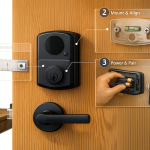
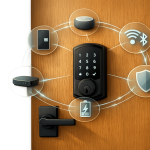
Smart lock systems simplify managing multiple visitors by handling up to 100 active temporary codes at once. These digital credentials can be set to expire automatically and, if plans change, revoked remotely with just a few clicks.
"Organizations retain granular control over access permissions with automatic access revocation, customizable time windows, specific door access, and automatic expiration times." – Sarah Taylor, Product Marketing Manager, Verkada
While automation is powerful, manual intervention is sometimes necessary. If a visitor leaves earlier than expected or a security concern arises, administrators should immediately revoke access via a mobile app or dashboard. Waiting for an automatic expiration could leave a window of vulnerability. Once access is revoked, follow-up reviews ensure your facility stays secure.
Regular Access Reviews and Security Reports
Revoking credentials after a visit is just the start. Regular audits play a key role in confirming access has been fully rescinded. Reviewing access logs can uncover patterns that automated systems might overlook. For instance, checking door event pages can reveal where a visitor went and whether they tried to enter restricted areas outside of their scheduled access hours. Comparing check-in and check-out times against roll call reports can also confirm that everyone who entered has exited properly.
Periodic reviews are also an opportunity to catch recurring issues, like repeated unauthorized access attempts. Setting reminders to archive expired codes reduces clutter in your system and limits potential weak points. On top of this, real-time alerts for unusual activity – such as attempts to enter restricted zones – keep your security team informed without requiring constant manual oversight.
Conclusion
Managing temporary visitor access effectively calls for a mix of careful planning, advanced technology, and vigilant oversight. Security improves when physical controls and surveillance systems work together to enforce boundaries and monitor activities. Without this integration, you might have a compliant log, but your facility could still be vulnerable.
Beyond initial planning and implementation, maintaining security relies heavily on continuous monitoring and quick action when access needs to be revoked. Consider this: in 2024, the average cost of a global data breach hit $4.88 million, with 61% of organizations identifying tailgating as their most frequent access control issue. These figures highlight the importance of strategies like risk-tiering visitors and thorough pre-screening, which are just as critical as the technology you use.
To streamline processes, automate credential lifecycles, enforce time-limited access, and use digital kiosks for check-ins. At the same time, don’t skip steps like ID verification or safety briefings – these small, deliberate actions create a secure environment without disrupting operations. Real-time monitoring also ensures accurate "who’s on-site" reports, which are invaluable during emergencies like evacuations or lockdowns.
Another key practice is conducting quarterly audits of active credentials, especially for long-term contractors. These audits can catch issues that automated systems might overlook. Reviewing access logs, updating policies, and ensuring credentials expire on schedule are essential steps to maintain a secure facility. These measures go beyond compliance – they protect your people, assets, and sensitive information every single day.
If you’re looking for expert guidance, local professionals like Sherlock’s Locksmith in Pittsburgh, PA, can help you integrate visitor management with physical access controls tailored to your needs.
FAQs
What is the safest credential type for temporary visitors?
The Visit Key is the best option for temporary visitors. This credential is both secure and time-sensitive, making it ideal for controlled access. It can be shared conveniently through email, text, or a web link, offering either one-time or recurring entry. By using this system, you can ensure safer, monitored access while managing temporary visitors with ease.
How do I stop tailgating with visitor access control?
Preventing tailgating requires a mix of physical security measures and clear, enforceable policies. Here’s how you can tackle it effectively:
- Install security systems: Use tools like turnstiles, security gates, or anti-tailgating systems to physically prevent unauthorized individuals from sneaking in behind someone with access.
- Employee training: Educate employees about the risks of tailgating and encourage them not to hold doors open for people they don’t recognize, even if it feels awkward.
- Raise awareness: Promote a culture of security by regularly reminding staff about access policies and why they matter.
By combining technology, training, and awareness, you create a multi-layered defense that significantly reduces the chances of unauthorized access through tailgating.
What visitor data should I keep, and for how long?
To manage visitor data effectively, you should store information such as full name, contact details, sign-in method, host approval status, security screening results, and any guest documents. The length of time you retain this data should align with your organization’s policies and legal requirements, which often range from a few months to several years. To maintain compliance and safeguard data, many systems offer options to set up automatic data deletion after a specified period.